A worked example: where the task becomes difficult
A fictional onboarding video explains how to import a repository. The written draft contains long URLs, nested parentheses and several unexplained abbreviations. Spoken aloud, it becomes hard to follow. Rewrite around what the viewer sees and needs to do, provide a pronunciation guide for necessary names and keep detailed reference links in the accompanying text.
Decisions to make before implementation
Define audience, tone, duration and synchronization needs. Use an authorized voice and avoid misleading imitation of a real person. Keep numbers and technical instructions unambiguous when spoken. Decide which details belong in narration and which should remain on screen or in the guide. A faster voice is not a substitute for removing unnecessary complexity.
A practical sequence for the work
Use the sequence below as a task boundary, not as a claim that the example has been executed. Work with approved inputs and the project’s actual architecture. If a required integration or permission is unavailable, keep that stage visibly incomplete rather than generating a plausible substitute result.
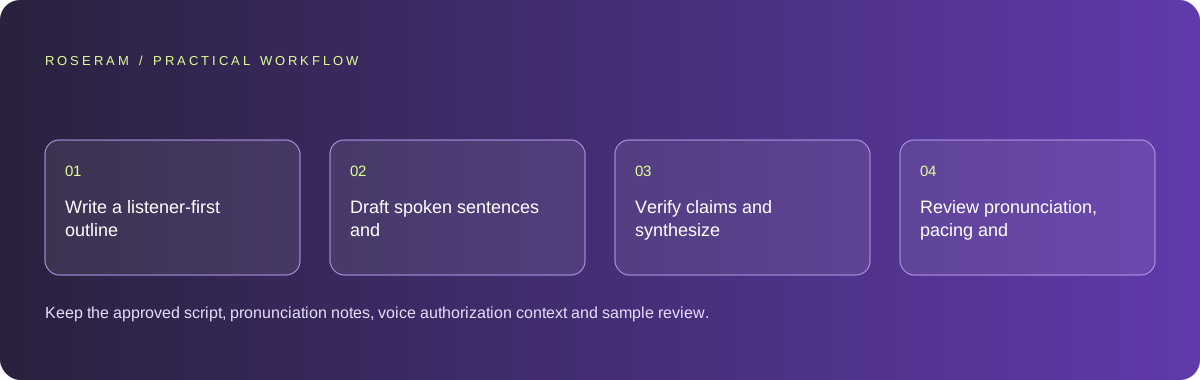
- Write a listener-first outline tied to the visual steps.
- Draft spoken sentences and a glossary for difficult terms.
- Verify claims and synthesize a short permitted sample.
- Review pronunciation, pacing and synchronization before the full render.
A detailed brief you can adapt for your agent
Replace the illustrative context with your approved facts and controlled inputs. Keep the stated boundaries when adapting the brief. The expected deliverable matters more than a particular tool name: ask for an explanation grounded in the inspected material and evidence for the requested outcome.
Draft a clear repository-import voiceover from this approved workflow. Use short spoken sentences, explain necessary terms and provide pronunciation notes. Keep long references in accompanying text. Verify commands and numbers before synthesis. Plan a short authorized sample and do not imitate or imply endorsement by a real public figure.Failure modes that an attractive preview can hide
Generated speech can sound confident while saying an incorrect command or number. Check against the approved script and source. Do not assume a punctuation trick will behave consistently across voices. Avoid presenting synthetic narration as a real expert’s endorsement, and keep the media’s identity and context truthful.
Technical references: W3C WAI: accessibility tutorials
Acceptance checks and the evidence to retain
Keep the approved script, pronunciation notes, voice authorization context and sample review. The narration should support the task without replacing written instructions.
| Controlled case | Expected evidence |
|---|---|
| Narration speaks a technical command | It matches the intended written instruction and is understandable. |
| Visual step changes during narration | The listener can follow the sequence without rushing. |
| Voice resembles a known person | Usage does not imply an unauthorized endorsement or identity claim. |
Specific answers
Common questions
Can I narrate the article verbatim?
Sometimes, but written structure often needs adaptation for listening and timing.
Does realistic speech make the information reliable?
No. Check claims, commands and quantities independently of voice quality.
What is the practical completion criterion?
Keep the approved script, pronunciation notes, voice authorization context and sample review. The narration should support the task without replacing written instructions.
Sources and editorial method
These references support the indicated technical facts. Workflows, examples and decision tables are original Roseram analysis. Illustrative costs are not vendor prices. No search volume, organic difficulty, ranking result or product endorsement is implied.
- W3C WAI: accessibility tutorials ↗
Reference material for accessible content and media; an individual checklist does not establish complete conformance.
Roseram offers AI software and may compete with tools discussed here. Sources checked 2026-10-11. Send a sourced correction.
Your next step
Keep a practical checklist.
Mark your progress. This checklist and helpfulness choice are saved on this device only; they are not public reviews.
0 of 5 complete
Share your experience in the community or submit a sourced correction. Public experiences remain separate from editorial claims.
Bring your next idea
Keep learning. Build with context.
Get Roseram model and workspace reopening updates. The guide remains available whether or not you subscribe.
Explore the workspace guide →