A worked example: where the task becomes difficult
A fictional consultancy needs a homepage visual showing collaborative planning. A beautiful image full of tiny screens may fail because the headline needs clear space and the mobile crop removes the subject. Start with the actual page layout, where text appears and what the image must communicate. Avoid generating a scene that falsely depicts a real office or customer engagement.
Decisions to make before implementation
Define subject, framing, focal point, negative space, palette and required variants. Specify what must not appear, such as unreadable text or unsupported logos. Consider whether an existing photo, SVG or simple diagram would serve the task better. Set usage and disclosure expectations from the actual context; generated illustration should not become fake testimonial or product-performance proof.
A practical sequence for the work
Use the sequence below as a task boundary, not as a claim that the example has been executed. Work with approved inputs and the project’s actual architecture. If a required integration or permission is unavailable, keep that stage visibly incomplete rather than generating a plausible substitute result.
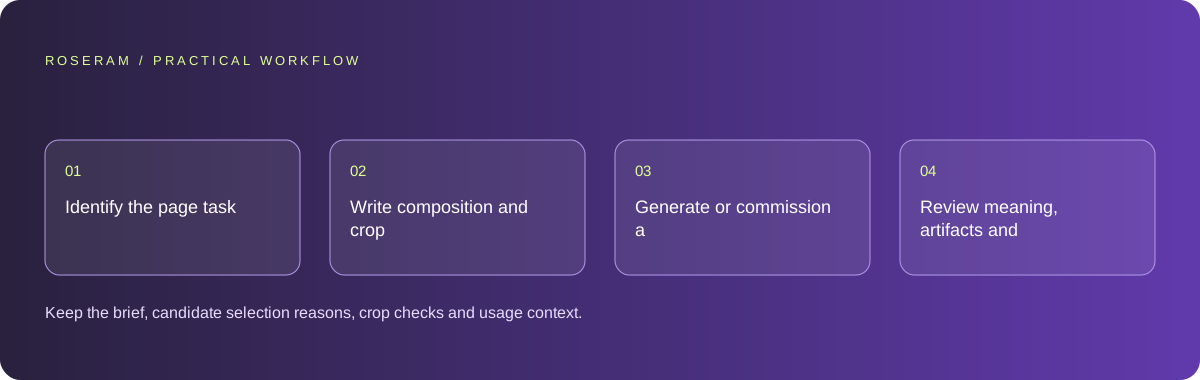
- Identify the page task and the visual information the image should add.
- Write composition and crop requirements using actual layout dimensions.
- Generate or commission a small set of candidates from permitted references.
- Review meaning, artifacts and mobile placement before choosing the asset.
A detailed brief you can adapt for your agent
Replace the illustrative context with your approved facts and controlled inputs. Keep the stated boundaries when adapting the brief. The expected deliverable matters more than a particular tool name: ask for an explanation grounded in the inspected material and evidence for the requested outcome.
Create a visual brief for this consultancy homepage, not a claim of actual client work. Define focal subject, negative space for the headline, desktop and phone crops, palette and unwanted artifacts. Use only permitted references. Compare whether a generated illustration or a simple diagram better explains the offer before production.Failure modes that an attractive preview can hide
A prompt with many style words can still omit the required composition. Do not evaluate only at full resolution. Check edges, hands, text fragments and any apparent factual detail. If the image depicts a product, verify it matches the real product or label it as conceptual; a visually convincing mismatch can mislead buyers.
Technical references: W3C WAI: accessibility tutorials
Acceptance checks and the evidence to retain
Keep the brief, candidate selection reasons, crop checks and usage context. The chosen image should support the page’s meaning rather than merely decorate it.
| Controlled case | Expected evidence |
|---|---|
| Homepage headline overlays the image | Required text space remains clear and readable. |
| Asset is cropped on a phone | The intended subject and meaning remain visible. |
| Image appears to document a real event | Its illustrative status is clear where needed. |
Specific answers
Common questions
Should every website image be generated?
No. Choose the format that communicates the task accurately and efficiently.
Can a generated scene serve as customer evidence?
Do not present an invented scene as documentation of real customers, premises or results.
What is the practical completion criterion?
Keep the brief, candidate selection reasons, crop checks and usage context. The chosen image should support the page’s meaning rather than merely decorate it.
Sources and editorial method
These references support the indicated technical facts. Workflows, examples and decision tables are original Roseram analysis. Illustrative costs are not vendor prices. No search volume, organic difficulty, ranking result or product endorsement is implied.
- W3C WAI: accessibility tutorials ↗
Reference material for accessible content and media; an individual checklist does not establish complete conformance.
Roseram offers AI software and may compete with tools discussed here. Sources checked 2026-10-11. Send a sourced correction.
Your next step
Keep a practical checklist.
Mark your progress. This checklist and helpfulness choice are saved on this device only; they are not public reviews.
0 of 5 complete
Share your experience in the community or submit a sourced correction. Public experiences remain separate from editorial claims.
Bring your next idea
Keep learning. Build with context.
Get Roseram model and workspace reopening updates. The guide remains available whether or not you subscribe.
Explore the workspace guide →