A worked example: where the task becomes difficult
A fictional field app looks correct in a desktop-sized preview. On a phone, the keyboard hides submission, a camera permission is denied and a slow upload resets the form. Build a test matrix around what workers actually do during a visit. Include one ordinary device and one smaller or older supported device rather than collecting screenshots of many idle home screens.
Decisions to make before implementation
Define supported operating-system and device ranges, then prioritize risk-bearing journeys. Separate appearance, interaction, native capability and external service outcomes. Use controlled accounts and data, and record the actual installed build. Test app switching, orientation, text size and network changes where they affect the task. Report devices that were not available rather than implying universal coverage.
A practical sequence for the work
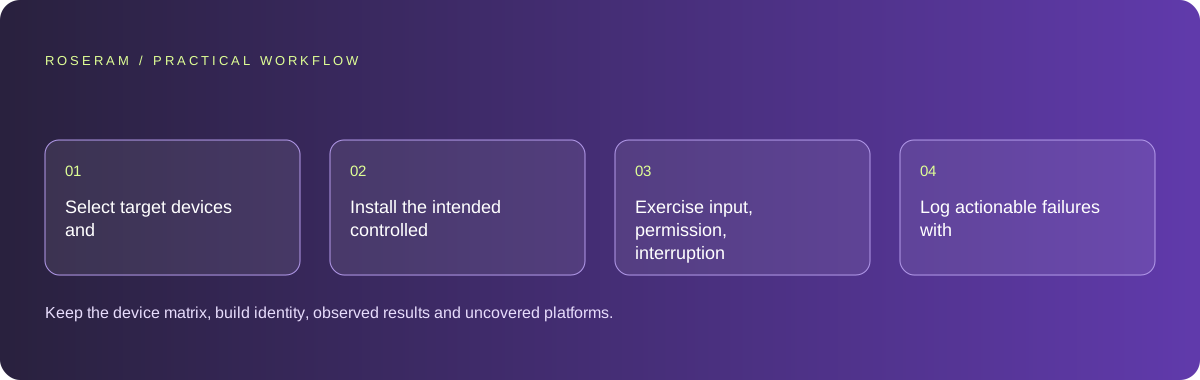
Use the sequence below as a task boundary, not as a claim that the example has been executed. Work with approved inputs and the project’s actual architecture. If a required integration or permission is unavailable, keep that stage visibly incomplete rather than generating a plausible substitute result.
- Select target devices and the customer journeys that justify them.
- Install the intended controlled build and record its revision.
- Exercise input, permission, interruption and connection changes.
- Log actionable failures with reproduction steps and retest the repaired build.
A detailed brief you can adapt for your agent
Replace the illustrative context with your approved facts and controlled inputs. Keep the stated boundaries when adapting the brief. The expected deliverable matters more than a particular tool name: ask for an explanation grounded in the inspected material and evidence for the requested outcome.
Create and execute a controlled device test plan for these supported platforms. Prioritize field-visit journeys, keyboard behavior, permissions, backgrounding and poor connectivity. Record the installed revision and distinguish browser preview from physical-device evidence. Return reproducible failures and retest only the relevant repaired journeys plus required release gates.Failure modes that an attractive preview can hide
A responsive browser frame is not a native device test. Do not call camera, push or store behavior verified from a static preview. Repeatedly testing every screen after a small unrelated text edit wastes effort; target concrete risk while keeping required release gates. Use results tied to the final build, not an earlier version before the last fix.
Technical references: Expo: start developing
Acceptance checks and the evidence to retain
Keep the device matrix, build identity, observed results and uncovered platforms. A clear limited evidence set is more useful than a claim that every mobile environment works.
| Controlled case | Expected evidence |
|---|---|
| Keyboard opens in a long form | Required fields and submission remain reachable. |
| App is backgrounded during upload | Recovery follows the documented operation state. |
| Permission is denied | The intended alternative or explanation is usable. |
Specific answers
Common questions
Can responsive preview replace device testing?
It helps layout work but does not establish native permissions, hardware and installed-app behavior.
Should I test every possible phone?
Define support and prioritize representative risks, while documenting coverage limits.
What is the practical completion criterion?
Keep the device matrix, build identity, observed results and uncovered platforms. A clear limited evidence set is more useful than a claim that every mobile environment works.
Sources and editorial method
These references support the indicated technical facts. Workflows, examples and decision tables are original Roseram analysis. Illustrative costs are not vendor prices. No search volume, organic difficulty, ranking result or product endorsement is implied.
- Expo: start developing ↗
Running the development server and checking changes on a device.
Roseram offers AI software and may compete with tools discussed here. Sources checked 2026-10-11. Send a sourced correction.
Your next step
Keep a practical checklist.
Mark your progress. This checklist and helpfulness choice are saved on this device only; they are not public reviews.
0 of 5 complete
Share your experience in the community or submit a sourced correction. Public experiences remain separate from editorial claims.
Bring your next idea
Keep learning. Build with context.
Get Roseram model and workspace reopening updates. The guide remains available whether or not you subscribe.
Explore the workspace guide →