A worked example: where the task becomes difficult
A fictional project app emails a link to a task. It opens correctly when the app is running but lands on Home after a cold start. Another link names a private task from a different account. The routing layer needs to retain the intended destination during startup while the receiving service checks ownership. Use controlled links and accounts rather than real customer tasks.
Decisions to make before implementation
Define supported schemes or domain links under the selected runtime. Keep a narrow destination map and reject malformed or external redirect parameters. Decide how missing, expired or inaccessible records are presented. Handle links before and after session initialization without triggering duplicate navigation. Verify actual device behavior because link registration and operating-system dispatch are part of the journey.
A practical sequence for the work
Use the sequence below as a task boundary, not as a claim that the example has been executed. Work with approved inputs and the project’s actual architecture. If a required integration or permission is unavailable, keep that stage visibly incomplete rather than generating a plausible substitute result.
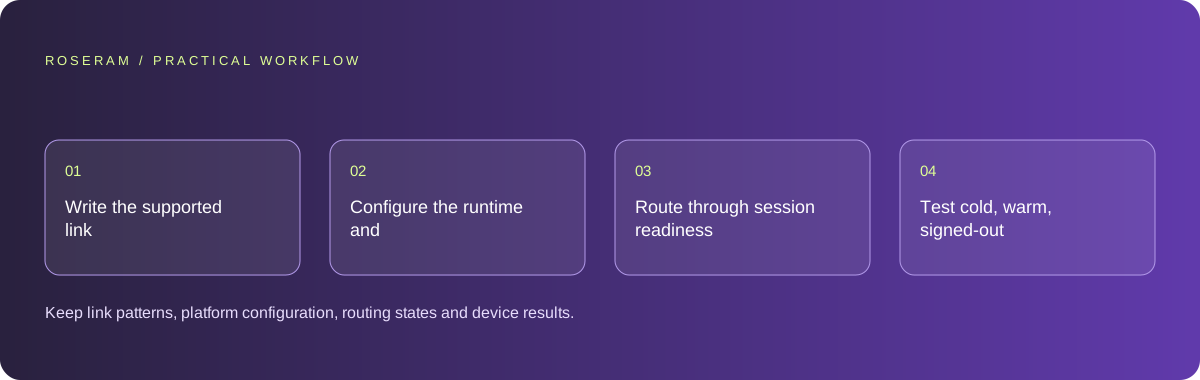
- Write the supported link patterns and resource parameter contract.
- Configure the runtime and platform association where required.
- Route through session readiness and protected-resource validation.
- Test cold, warm, signed-out and invalid-link states on target devices.
A detailed brief you can adapt for your agent
Replace the illustrative context with your approved facts and controlled inputs. Keep the stated boundaries when adapting the brief. The expected deliverable matters more than a particular tool name: ask for an explanation grounded in the inspected material and evidence for the requested outcome.
Add controlled task deep links using the current runtime’s official linking contract. Define a narrow path map and validate parameters. Preserve the destination across startup and sign-in, but enforce resource ownership. Test cold and warm app states plus malformed and unauthorized links. Do not trust a link as access permission.Failure modes that an attractive preview can hide
Parsing an arbitrary URL into an internal route can create unsafe redirects or expose unintended screens. Do not bypass authorization for links received through email. A simulator or browser-only check may not prove domain association works on installed devices. Preserve a useful web or error fallback for unsupported installations.
Technical references: Expo: linking overview
Acceptance checks and the evidence to retain
Keep link patterns, platform configuration, routing states and device results. Separate successful URL parsing from operating-system dispatch and protected-resource access.
| Controlled case | Expected evidence |
|---|---|
| App is closed when task link is opened | Startup retains the intended permitted destination. |
| User is signed out | Sign-in returns to the validated in-app task path. |
| Link names another account’s task | Resource authorization denies access without leaking details. |
Specific answers
Common questions
Does an emailed link authorize its resource?
No. The receiving operation must still verify identity and permission.
Why does a link work only when the app is open?
Startup and session initialization may not retain or process the destination correctly.
What is the practical completion criterion?
Keep link patterns, platform configuration, routing states and device results. Separate successful URL parsing from operating-system dispatch and protected-resource access.
Sources and editorial method
These references support the indicated technical facts. Workflows, examples and decision tables are original Roseram analysis. Illustrative costs are not vendor prices. No search volume, organic difficulty, ranking result or product endorsement is implied.
- Expo: linking overview ↗
Native link configuration concepts; routing does not authorize access to private resources.
Roseram offers AI software and may compete with tools discussed here. Sources checked 2026-10-11. Send a sourced correction.
Your next step
Keep a practical checklist.
Mark your progress. This checklist and helpfulness choice are saved on this device only; they are not public reviews.
0 of 5 complete
Share your experience in the community or submit a sourced correction. Public experiences remain separate from editorial claims.
Bring your next idea
Keep learning. Build with context.
Get Roseram model and workspace reopening updates. The guide remains available whether or not you subscribe.
Explore the workspace guide →