A worked example: where the task becomes difficult
A fictional workspace prepares an imported app by loading source, installing dependencies, starting a process and waiting for a route. The UI shows 90% almost immediately and stays there after installation fails. A useful indicator names the confirmed stage and recent log summary. It should distinguish “process started” from “application route ready” and “browser rendered.”
Decisions to make before implementation
Define job identity and the event stream or status endpoint that owns progress. Use monotonic stage transitions where appropriate and account for retries. Keep sensitive runtime output redacted. Distinguish a slow stage from a failed or stalled one using bounded checks. A progress animation can communicate activity without pretending to know an exact completion time.
A practical sequence for the work
Use the sequence below as a task boundary, not as a claim that the example has been executed. Work with approved inputs and the project’s actual architecture. If a required integration or permission is unavailable, keep that stage visibly incomplete rather than generating a plausible substitute result.
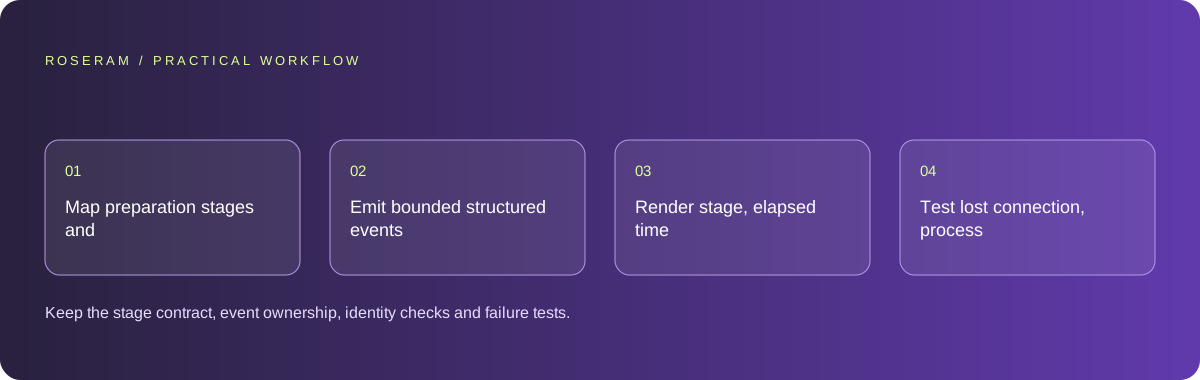
- Map preparation stages and the evidence confirming each transition.
- Emit bounded structured events tied to a job identity.
- Render stage, elapsed time and recoverable failure without false precision.
- Test lost connection, process exit and a successful final route.
A detailed brief you can adapt for your agent
Replace the illustrative context with your approved facts and controlled inputs. Keep the stated boundaries when adapting the brief. The expected deliverable matters more than a particular tool name: ask for an explanation grounded in the inspected material and evidence for the requested outcome.
Implement preview-job progress from actual source, install, process and route events. Tie updates to active project and job identity. Show stage and elapsed time, using a percentage only with a real denominator. Handle disconnect, exit and retry. Redact logs and do not mark the app ready from process startup alone.Failure modes that an attractive preview can hide
A UI timer cannot know how many packages remain or whether the runtime has crashed. Do not derive a fake percentage solely from elapsed time. Stale events from a previous project can mislabel the current preview; validate active job and project identity. Keep cancel and retry behavior consistent with whether a backend operation actually stopped.
Technical references: Google: Web Vitals
Acceptance checks and the evidence to retain
Keep the stage contract, event ownership, identity checks and failure tests. Explain which parts of completion remain uncertain instead of hiding them behind a near-finished bar.
| Controlled case | Expected evidence |
|---|---|
| Dependency installation fails | The UI stops claiming preparation and shows the supported recovery. |
| Old project event arrives late | It does not update the current project’s indicator. |
| Process starts but route is not ready | The UI preserves the distinction until readiness is confirmed. |
Specific answers
Common questions
Should every job show a percentage?
No. A clear stage and activity state is more honest when progress cannot be measured precisely.
Does starting the server mean preview is ready?
The route and browser rendering still need their relevant readiness evidence.
What is the practical completion criterion?
Keep the stage contract, event ownership, identity checks and failure tests. Explain which parts of completion remain uncertain instead of hiding them behind a near-finished bar.
Sources and editorial method
These references support the indicated technical facts. Workflows, examples and decision tables are original Roseram analysis. Illustrative costs are not vendor prices. No search volume, organic difficulty, ranking result or product endorsement is implied.
- Google: Web Vitals ↗
LCP, INP and CLS measure loading, interaction and visual stability.
Roseram offers AI software and may compete with tools discussed here. Sources checked 2026-10-11. Send a sourced correction.
Your next step
Keep a practical checklist.
Mark your progress. This checklist and helpfulness choice are saved on this device only; they are not public reviews.
0 of 5 complete
Share your experience in the community or submit a sourced correction. Public experiences remain separate from editorial claims.
Bring your next idea
Keep learning. Build with context.
Get Roseram model and workspace reopening updates. The guide remains available whether or not you subscribe.
Explore the workspace guide →