A worked example: where the task becomes difficult
A fictional team has a working appointment prototype and wants to submit it immediately. It still contains placeholder icons, a development API URL and no account recovery path. Begin with release configuration and the actual customer journey. Use the current build tooling and store documentation, not guessed universal requirements copied from another platform.
Decisions to make before implementation
Identify package identity, signing ownership, environment configuration and build version. Check privacy disclosures against actual data collection and SDK behavior. Ensure listing screenshots represent the released product rather than a speculative mockup. Establish support, crash investigation and rollback or update handling. Keep credentials and signing material protected and do not accept agreements on someone’s behalf without appropriate authorization.
A practical sequence for the work
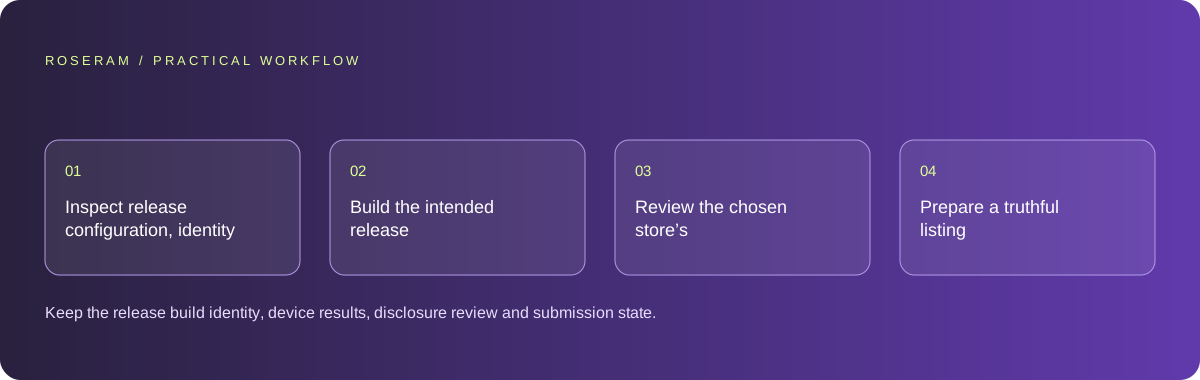
Use the sequence below as a task boundary, not as a claim that the example has been executed. Work with approved inputs and the project’s actual architecture. If a required integration or permission is unavailable, keep that stage visibly incomplete rather than generating a plausible substitute result.
- Inspect release configuration, identity and protected signing ownership.
- Build the intended release candidate and test representative device journeys.
- Review the chosen store’s current submission and disclosure requirements.
- Prepare a truthful listing and an operational support and update plan.
A detailed brief you can adapt for your agent
Replace the illustrative context with your approved facts and controlled inputs. Keep the stated boundaries when adapting the brief. The expected deliverable matters more than a particular tool name: ask for an explanation grounded in the inspected material and evidence for the requested outcome.
Prepare a release-readiness review for this existing mobile project. Inspect package identity, environment, signing ownership and placeholder assets. Build and test the candidate where authorized. Use the selected store’s current rules and match disclosures to actual behavior. Do not submit, accept agreements or claim approval without the required action and evidence.Failure modes that an attractive preview can hide
A successful development preview can conceal production configuration errors. Do not claim store approval before the store actually returns it. Generated privacy text must match real collection and retention. Avoid adding tracking SDKs merely to fill an analytics suggestion; they change disclosures, runtime behavior and maintenance.
Technical references: Expo: build for app stores
Acceptance checks and the evidence to retain
Keep the release build identity, device results, disclosure review and submission state. Report prepared, submitted and approved as different stages.
| Controlled case | Expected evidence |
|---|---|
| Release build launches on a controlled device | It uses the intended production or approved staging configuration. |
| Listing screenshot is compared with the app | It represents actual available features. |
| User needs account recovery | The released support path is accessible and operational. |
Specific answers
Common questions
Does a working preview mean the store will approve it?
No. Release configuration and the store’s review process are additional requirements.
Can AI write the privacy disclosure automatically?
It can draft from an accurate data inventory, but the owner must verify actual behavior and applicable requirements.
What is the practical completion criterion?
Keep the release build identity, device results, disclosure review and submission state. Report prepared, submitted and approved as different stages.
Sources and editorial method
These references support the indicated technical facts. Workflows, examples and decision tables are original Roseram analysis. Illustrative costs are not vendor prices. No search volume, organic difficulty, ranking result or product endorsement is implied.
- Expo: build for app stores ↗
Build workflow reference; a build is distinct from store submission and approval.
Roseram offers AI software and may compete with tools discussed here. Sources checked 2026-10-11. Send a sourced correction.
Your next step
Keep a practical checklist.
Mark your progress. This checklist and helpfulness choice are saved on this device only; they are not public reviews.
0 of 5 complete
Share your experience in the community or submit a sourced correction. Public experiences remain separate from editorial claims.
Bring your next idea
Keep learning. Build with context.
Get Roseram model and workspace reopening updates. The guide remains available whether or not you subscribe.
Explore the workspace guide →