A worked example: where the task becomes difficult
A fictional repair app lets customers photograph a damaged component. A generated screen requests camera permission immediately on launch and fails if permission is denied. A better journey explains the request when the customer chooses to attach a photo, offers a supported alternative and preserves the rest of the enquiry. Use controlled images that do not include bystanders or private documents.
Decisions to make before implementation
Identify the app runtime and the current camera library’s supported device behavior. Separate permission state, capture result, local attachment and server upload. Decide whether location metadata is needed and avoid retaining it by default without a reason. Define size, orientation, compression and deletion rules. A captured image remaining on the device is not evidence that the support team received it.
A practical sequence for the work
Use the sequence below as a task boundary, not as a claim that the example has been executed. Work with approved inputs and the project’s actual architecture. If a required integration or permission is unavailable, keep that stage visibly incomplete rather than generating a plausible substitute result.
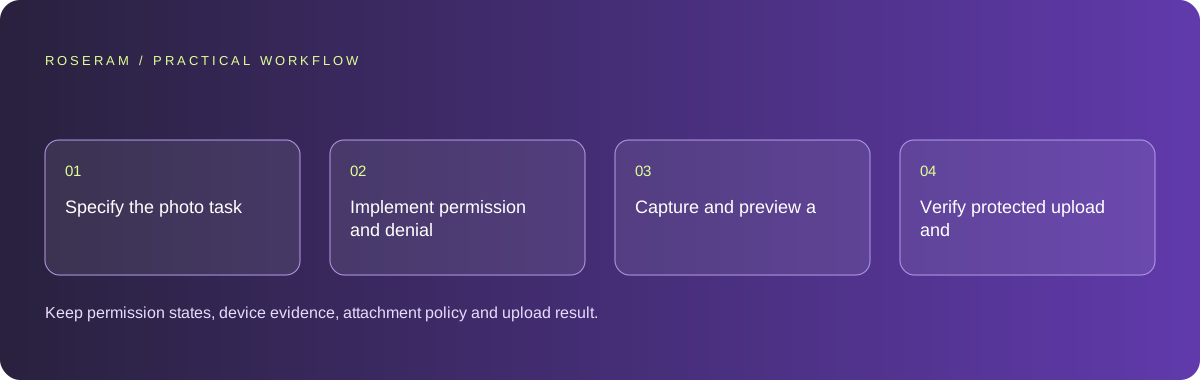
- Specify the photo task and inspect the current platform camera contract.
- Implement permission and denial states at the point of use.
- Capture and preview a controlled image with explicit remove or retake actions.
- Verify protected upload and downstream attachment availability separately.
A detailed brief you can adapt for your agent
Replace the illustrative context with your approved facts and controlled inputs. Keep the stated boundaries when adapting the brief. The expected deliverable matters more than a particular tool name: ask for an explanation grounded in the inspected material and evidence for the requested outcome.
Add damage-photo capture to this existing mobile project. Inspect its runtime and camera-library contract first. Request access only when attaching a photo, handle denial and allow retake or removal. Use controlled images and verify upload separately. Do not claim physical-device capture from a simulator-only test.Failure modes that an attractive preview can hide
Simulator support can differ from physical-device behavior. Do not declare the camera verified from a mocked preview. Avoid repeatedly requesting access after a denial or blocking unrelated app tasks. A large image can exhaust upload limits; enforce the approved contract at the receiving boundary and keep input recoverable.
Technical references: Expo: camera
Acceptance checks and the evidence to retain
Keep permission states, device evidence, attachment policy and upload result. Mark unsupported devices or untested capture paths explicitly.
| Controlled case | Expected evidence |
|---|---|
| Customer denies camera permission | The enquiry remains usable with the intended alternative. |
| Photo is captured in portrait orientation | Preview and accepted attachment display correctly. |
| Upload fails after capture | The local attachment remains recoverable and is not reported delivered. |
Specific answers
Common questions
Does camera capture prove the image was uploaded?
No. Capture, local attachment and server acceptance are separate states.
Can a simulator verify every camera behavior?
No. Check the target physical devices and runtime where the feature matters.
What is the practical completion criterion?
Keep permission states, device evidence, attachment policy and upload result. Mark unsupported devices or untested capture paths explicitly.
Sources and editorial method
These references support the indicated technical facts. Workflows, examples and decision tables are original Roseram analysis. Illustrative costs are not vendor prices. No search volume, organic difficulty, ranking result or product endorsement is implied.
- Expo: camera ↗
Current Expo camera and permission reference; verify the selected SDK and physical-device path.
Roseram offers AI software and may compete with tools discussed here. Sources checked 2026-10-11. Send a sourced correction.
Your next step
Keep a practical checklist.
Mark your progress. This checklist and helpfulness choice are saved on this device only; they are not public reviews.
0 of 5 complete
Share your experience in the community or submit a sourced correction. Public experiences remain separate from editorial claims.
Bring your next idea
Keep learning. Build with context.
Get Roseram model and workspace reopening updates. The guide remains available whether or not you subscribe.
Explore the workspace guide →