A worked example: where the task becomes difficult
A fictional marketing team has several similarly named hero images and video edits. One includes a superseded product screen; another is approved only for an internal presentation. Without an inventory, an editor can accidentally publish the wrong version. Assign stable asset references and record approval scope, crop variants and the pages that depend on each file.
Decisions to make before implementation
Choose a naming convention that preserves identity and version without encoding private prompts. Store permitted reference provenance and meaningful usage restrictions. Keep accessibility text and captions with the relevant revision. Decide how replacing an asset updates pages and cached variants. Do not retain sensitive uploaded references indefinitely just because they were used once to generate a concept.
A practical sequence for the work
Use the sequence below as a task boundary, not as a claim that the example has been executed. Work with approved inputs and the project’s actual architecture. If a required integration or permission is unavailable, keep that stage visibly incomplete rather than generating a plausible substitute result.
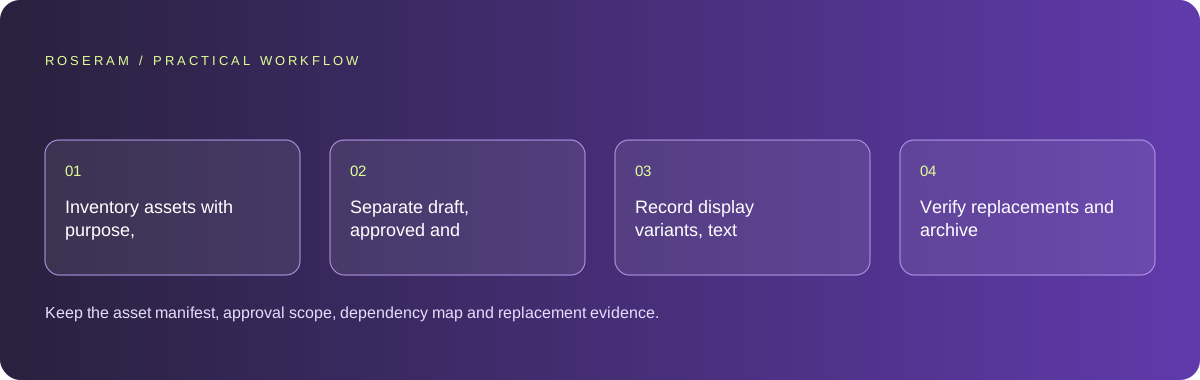
- Inventory assets with purpose, revision and provenance references.
- Separate draft, approved and retired states.
- Record display variants, text alternatives and dependent pages.
- Verify replacements and archive or remove material under the approved retention policy.
A detailed brief you can adapt for your agent
Replace the illustrative context with your approved facts and controlled inputs. Keep the stated boundaries when adapting the brief. The expected deliverable matters more than a particular tool name: ask for an explanation grounded in the inspected material and evidence for the requested outcome.
Create an asset inventory for these permitted project files. Track purpose, identity, revision, approval scope, variants and dependent pages. Keep sensitive prompts and references out of public metadata. Attach reviewed alternatives or captions to the correct revision. Identify retired assets and plan replacements without deleting unrelated work.Failure modes that an attractive preview can hide
A file named final-final can still be obsolete. Use explicit identity and approval state instead. Avoid publishing complete private prompts in public asset metadata. Replacing a file under the same URL may leave cached old content; check the delivery strategy and affected page. An inventory is not a substitute for verifying rights and context before reuse.
Technical references: W3C WAI: accessibility tutorials
Acceptance checks and the evidence to retain
Keep the asset manifest, approval scope, dependency map and replacement evidence. The library should reduce accidental reuse, not merely rename files.
| Controlled case | Expected evidence |
|---|---|
| Editor selects a retired product screenshot | The inventory makes its obsolete status visible. |
| Approved image has several crops | Each variant remains linked to the same source identity. |
| Asset replacement is published | Dependent pages and intended cache behavior are checked. |
Specific answers
Common questions
Should every generation prompt be public?
No. Keep only appropriate provenance and avoid exposing private input material.
Can one approved asset be used anywhere?
Its approval may be context-specific; review purpose and usage boundaries before reuse.
What is the practical completion criterion?
Keep the asset manifest, approval scope, dependency map and replacement evidence. The library should reduce accidental reuse, not merely rename files.
Sources and editorial method
These references support the indicated technical facts. Workflows, examples and decision tables are original Roseram analysis. Illustrative costs are not vendor prices. No search volume, organic difficulty, ranking result or product endorsement is implied.
- W3C WAI: accessibility tutorials ↗
Reference material for accessible content and media; an individual checklist does not establish complete conformance.
Roseram offers AI software and may compete with tools discussed here. Sources checked 2026-10-11. Send a sourced correction.
Your next step
Keep a practical checklist.
Mark your progress. This checklist and helpfulness choice are saved on this device only; they are not public reviews.
0 of 5 complete
Share your experience in the community or submit a sourced correction. Public experiences remain separate from editorial claims.
Bring your next idea
Keep learning. Build with context.
Get Roseram model and workspace reopening updates. The guide remains available whether or not you subscribe.
Explore the workspace guide →