A worked example: where the task becomes difficult
A fictional productivity app needs a favicon and an install icon. The first generated logo has a detailed wordmark that becomes unreadable in the browser tab. Start with a simple symbol and test light, dark and small-size contexts. Keep conceptual options separate from final exported assets, and do not assume a single file covers every platform requirement.
Decisions to make before implementation
Define the recognizable shape, palette, background treatment and intended asset contexts. Compare original concepts for similarity to existing brands rather than asking for a near-copy. Use vector construction when it gives cleaner scalable output. Verify export dimensions and document references for each selected variant. A generated icon file is not evidence the browser or installed app actually uses it.
A practical sequence for the work
Use the sequence below as a task boundary, not as a claim that the example has been executed. Work with approved inputs and the project’s actual architecture. If a required integration or permission is unavailable, keep that stage visibly incomplete rather than generating a plausible substitute result.
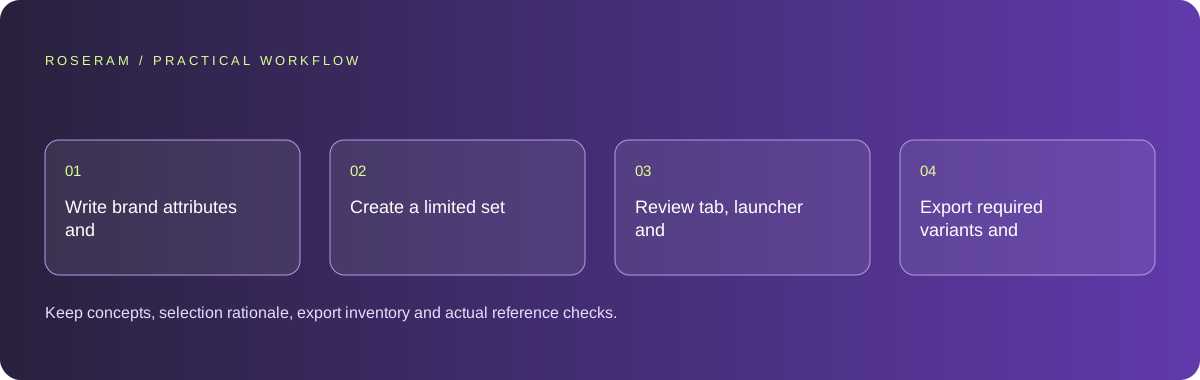
- Write brand attributes and small-size recognition requirements.
- Create a limited set of original symbol concepts.
- Review tab, launcher and light/dark previews at actual scale.
- Export required variants and verify the rendered application references.
A detailed brief you can adapt for your agent
Replace the illustrative context with your approved facts and controlled inputs. Keep the stated boundaries when adapting the brief. The expected deliverable matters more than a particular tool name: ask for an explanation grounded in the inspected material and evidence for the requested outcome.
Develop three original icon concepts for this productivity app, prioritizing small-size recognition. Compare simple silhouettes and light/dark use. Avoid copying known brand marks. Export the selected browser and install variants required by the project and verify their references. Do not claim legal clearance or active usage from file creation alone.Failure modes that an attractive preview can hide
A tiny icon can become a colored blur despite a strong large preview. Avoid adding more detail to solve that problem. Keep asset names and references deliberate so old placeholders do not remain active. Do not claim uniqueness or legal clearance from a visual review alone; handle those questions through the appropriate process when necessary.
Technical references: W3C WAI: accessibility tutorials
Acceptance checks and the evidence to retain
Keep concepts, selection rationale, export inventory and actual reference checks. Let the owner choose among meaningful options rather than minor color swaps of one unclear shape.
| Controlled case | Expected evidence |
|---|---|
| Icon is displayed at tab size | Its silhouette remains recognizable. |
| App opens in light and dark contexts | The chosen treatment stays visible. |
| Manifest and document references are inspected | They point to the approved existing assets. |
Specific answers
Common questions
Can a large logo be used directly as a favicon?
Sometimes, but inspect tiny-size clarity and create a simpler variant when necessary.
Does generating an icon update the app?
Only after the appropriate document, manifest or native references use it.
What is the practical completion criterion?
Keep concepts, selection rationale, export inventory and actual reference checks. Let the owner choose among meaningful options rather than minor color swaps of one unclear shape.
Sources and editorial method
These references support the indicated technical facts. Workflows, examples and decision tables are original Roseram analysis. Illustrative costs are not vendor prices. No search volume, organic difficulty, ranking result or product endorsement is implied.
- W3C WAI: accessibility tutorials ↗
Reference material for accessible content and media; an individual checklist does not establish complete conformance.
Roseram offers AI software and may compete with tools discussed here. Sources checked 2026-10-11. Send a sourced correction.
Your next step
Keep a practical checklist.
Mark your progress. This checklist and helpfulness choice are saved on this device only; they are not public reviews.
0 of 5 complete
Share your experience in the community or submit a sourced correction. Public experiences remain separate from editorial claims.
Bring your next idea
Keep learning. Build with context.
Get Roseram model and workspace reopening updates. The guide remains available whether or not you subscribe.
Explore the workspace guide →