A worked example: where the task becomes difficult
A fictional tutorial embeds a long product demonstration above its written answer. The player loads immediately, shifts the layout and distracts phone users who only need a command. A better design gives a short description, a relevant verified timestamp where available and a click-to-load player. The written instructions remain useful without watching.
Decisions to make before implementation
Compare a hosted file with an official embed based on rights, player needs and maintenance. Reserve dimensions to reduce movement, avoid autoplay by default and check captions or transcript availability. Keep historical video context explicit when the demonstrated product has changed. Configure the page’s security policy narrowly for the selected player rather than broadly allowing every external frame.
A practical sequence for the work
Use the sequence below as a task boundary, not as a claim that the example has been executed. Work with approved inputs and the project’s actual architecture. If a required integration or permission is unavailable, keep that stage visibly incomplete rather than generating a plausible substitute result.
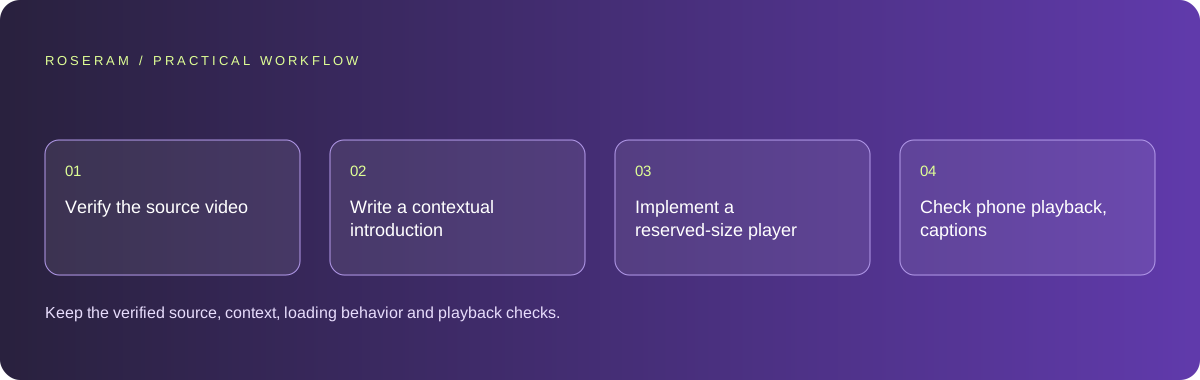
- Verify the source video and its relevance to the page’s task.
- Write a contextual introduction and preserve a usable text answer.
- Implement a reserved-size player with intentional loading and controls.
- Check phone playback, captions and the page before loading media.
A detailed brief you can adapt for your agent
Replace the illustrative context with your approved facts and controlled inputs. Keep the stated boundaries when adapting the brief. The expected deliverable matters more than a particular tool name: ask for an explanation grounded in the inspected material and evidence for the requested outcome.
Embed this verified official demonstration in the existing guide. Add contextual text and a reserved aspect ratio, avoid autoplay and use intentional click-to-load behavior where appropriate. Preserve the written answer and check caption availability. Allow only the required frame source. Do not invent timestamps or imply the historical video proves current features.Failure modes that an attractive preview can hide
A guessed video identifier can embed the wrong clip or an unavailable page. Verify the actual source. Do not reproduce a complete copyrighted transcript without appropriate rights. A privacy-oriented embed option does not mean no third-party interaction occurs after loading; describe behavior accurately when it matters to the visitor.
Technical references: W3C WAI: accessibility tutorials · Google: Web Vitals
Acceptance checks and the evidence to retain
Keep the verified source, context, loading behavior and playback checks. Record external player limitations and avoid presenting media as a replacement for the page’s actual answer.
| Controlled case | Expected evidence |
|---|---|
| Visitor does not load the video | The written task remains complete and page layout stays useful. |
| Player loads on a phone | Controls and aspect ratio remain usable. |
| Video is historical | The caption identifies date and any relevant capability limits. |
Specific answers
Common questions
Should video load before the written content?
Choose based on the task and performance; readers often need the text without loading media.
Can an old demonstration prove current capability?
Not by itself. Keep date context and verify current product facts separately.
What is the practical completion criterion?
Keep the verified source, context, loading behavior and playback checks. Record external player limitations and avoid presenting media as a replacement for the page’s actual answer.
Sources and editorial method
These references support the indicated technical facts. Workflows, examples and decision tables are original Roseram analysis. Illustrative costs are not vendor prices. No search volume, organic difficulty, ranking result or product endorsement is implied.
- W3C WAI: accessibility tutorials ↗
Reference material for accessible content and media; an individual checklist does not establish complete conformance.
- Google: Web Vitals ↗
LCP, INP and CLS measure loading, interaction and visual stability.
Roseram offers AI software and may compete with tools discussed here. Sources checked 2026-10-11. Send a sourced correction.
Your next step
Keep a practical checklist.
Mark your progress. This checklist and helpfulness choice are saved on this device only; they are not public reviews.
0 of 5 complete
Share your experience in the community or submit a sourced correction. Public experiences remain separate from editorial claims.
Bring your next idea
Keep learning. Build with context.
Get Roseram model and workspace reopening updates. The guide remains available whether or not you subscribe.
Explore the workspace guide →