A worked example: where the task becomes difficult
A fictional website displays a multi-megabyte generated hero at a modest width on phones and loads ten below-the-fold illustrations immediately. The images look sharp but delay the useful answer. Inventory actual rendered sizes and importance. A logo, a workflow diagram and a photographic hero need different treatments; shrinking everything uniformly can damage readability.
Decisions to make before implementation
Choose responsive variants and compression based on content. Vector diagrams may be preferable to raster text screenshots. Distinguish the main loading image from later supporting assets when selecting loading behavior. Keep source files separate from optimized delivery variants. Verify format support and the actual framework image configuration rather than assuming a file extension alone changes transfer size.
A practical sequence for the work
Use the sequence below as a task boundary, not as a claim that the example has been executed. Work with approved inputs and the project’s actual architecture. If a required integration or permission is unavailable, keep that stage visibly incomplete rather than generating a plausible substitute result.
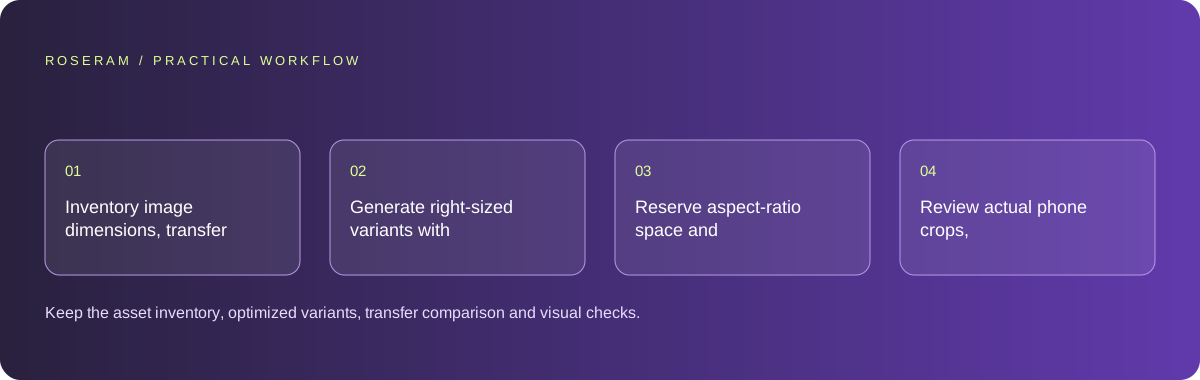
- Inventory image dimensions, transfer sizes and rendered roles.
- Generate right-sized variants with suitable quality and format.
- Reserve aspect-ratio space and set intentional loading priorities.
- Review actual phone crops, legibility and network transfers.
A detailed brief you can adapt for your agent
Replace the illustrative context with your approved facts and controlled inputs. Keep the stated boundaries when adapting the brief. The expected deliverable matters more than a particular tool name: ask for an explanation grounded in the inspected material and evidence for the requested outcome.
Optimize the supplied permitted assets for their actual roles. Measure rendered and source dimensions, then choose responsive variants and quality. Keep the primary image available promptly and defer nonessential media appropriately. Reserve layout space and preserve diagram meaning and alternatives. Verify actual transfers rather than only renaming file extensions.Failure modes that an attractive preview can hide
Overcompression can make diagrams or product details unusable. Lazy-loading the primary visible image can delay the page’s main content. Avoid generated photographs that misrepresent an actual product. Optimization should preserve truthful context and meaningful alternatives, not simply make an image disappear from a performance test.
Technical references: Google: Web Vitals
Acceptance checks and the evidence to retain
Keep the asset inventory, optimized variants, transfer comparison and visual checks. Record any quality tradeoffs that affect the reader’s task.
| Controlled case | Expected evidence |
|---|---|
| Phone receives the hero image | Delivered dimensions and transfer size suit its display. |
| Diagram is viewed at small width | Labels remain readable or equivalent text is available. |
| Supporting images load later | The page reserves their space and remains stable. |
Specific answers
Common questions
Should every image be lazy-loaded?
Not necessarily. The primary visible image often needs a different loading priority.
Is smaller always better?
Only while the asset remains useful and truthful at the intended size.
What is the practical completion criterion?
Keep the asset inventory, optimized variants, transfer comparison and visual checks. Record any quality tradeoffs that affect the reader’s task.
Sources and editorial method
These references support the indicated technical facts. Workflows, examples and decision tables are original Roseram analysis. Illustrative costs are not vendor prices. No search volume, organic difficulty, ranking result or product endorsement is implied.
- Google: Web Vitals ↗
LCP, INP and CLS measure loading, interaction and visual stability.
Roseram offers AI software and may compete with tools discussed here. Sources checked 2026-10-11. Send a sourced correction.
Your next step
Keep a practical checklist.
Mark your progress. This checklist and helpfulness choice are saved on this device only; they are not public reviews.
0 of 5 complete
Share your experience in the community or submit a sourced correction. Public experiences remain separate from editorial claims.
Bring your next idea
Keep learning. Build with context.
Get Roseram model and workspace reopening updates. The guide remains available whether or not you subscribe.
Explore the workspace guide →