A worked example: where the task becomes difficult
A fictional guide page loads a large hero, initializes several unused widgets and shifts when a video appears. The developer wants a perfect performance score but has not measured a phone visit. Start with a representative device and network profile and identify which element dominates loading, which task blocks interaction and what causes movement. Avoid applying unrelated performance tips indiscriminately.
Decisions to make before implementation
Use the current Web Vitals definitions and measure the appropriate conditions. Record test environment and repeated results. Consider rendering, media, scripts and server response separately. A lab improvement supports a hypothesis about field experience; it is not a substitute for available real-user evidence. Prioritize useful content and interaction rather than removing the core feature to improve a number.
A practical sequence for the work
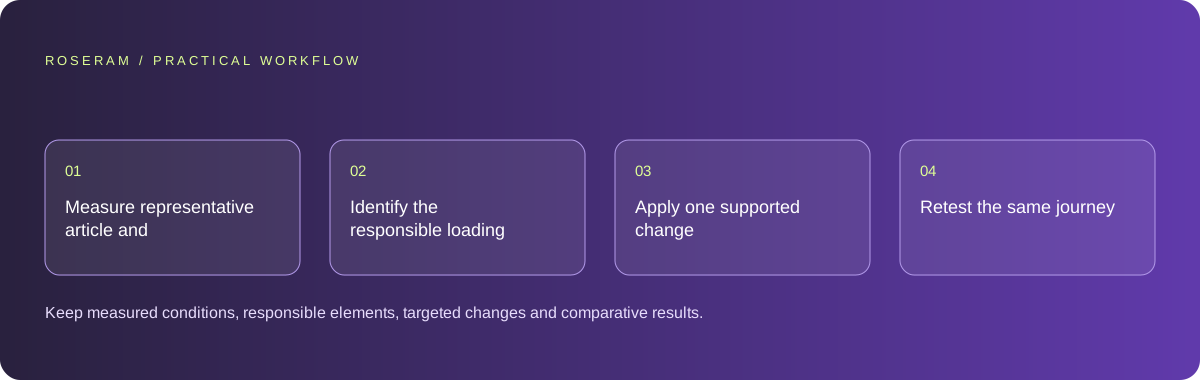
Use the sequence below as a task boundary, not as a claim that the example has been executed. Work with approved inputs and the project’s actual architecture. If a required integration or permission is unavailable, keep that stage visibly incomplete rather than generating a plausible substitute result.
- Measure representative article and conversion pages under stated conditions.
- Identify the responsible loading element, interaction work and layout shift.
- Apply one supported change such as right-sized media or deferred nonessential work.
- Retest the same journey and compare lab and available field evidence.
A detailed brief you can adapt for your agent
Replace the illustrative context with your approved facts and controlled inputs. Keep the stated boundaries when adapting the brief. The expected deliverable matters more than a particular tool name: ask for an explanation grounded in the inspected material and evidence for the requested outcome.
Audit the guide and signup journey using current Web Vitals definitions. Record device and network conditions, then identify the largest supported loading, interaction or stability issue. Apply a bounded fix and retest the same workflow. Preserve functionality and distinguish lab results from real-user evidence; do not claim a perfect score without measurement.Failure modes that an attractive preview can hide
A one-off fast desktop run can conceal mobile delay. Scores vary with conditions, and a static screenshot does not show responsiveness. Avoid claiming a universal 100/100 result from source inspection. Removing dimensions to make media flexible may create shifts; removing an interactive feature may make the test faster while making the product worse.
Technical references: Google: Web Vitals
Acceptance checks and the evidence to retain
Keep measured conditions, responsible elements, targeted changes and comparative results. State which performance claims are lab-only and which have field support.
| Controlled case | Expected evidence |
|---|---|
| Hero image loads | Reserved space and appropriate delivery reduce avoidable movement. |
| Visitor activates the main control | The intended action remains responsive and correct. |
| Lab environment changes | Results retain enough context to make comparisons meaningful. |
Specific answers
Common questions
Can code inspection establish a perfect score?
No. It can identify likely issues; actual measurements are needed.
Are lab and real-user results identical?
They answer related but different questions and can differ by environment and usage.
What is the practical completion criterion?
Keep measured conditions, responsible elements, targeted changes and comparative results. State which performance claims are lab-only and which have field support.
Sources and editorial method
These references support the indicated technical facts. Workflows, examples and decision tables are original Roseram analysis. Illustrative costs are not vendor prices. No search volume, organic difficulty, ranking result or product endorsement is implied.
- Google: Web Vitals ↗
LCP, INP and CLS measure loading, interaction and visual stability.
Roseram offers AI software and may compete with tools discussed here. Sources checked 2026-10-11. Send a sourced correction.
Your next step
Keep a practical checklist.
Mark your progress. This checklist and helpfulness choice are saved on this device only; they are not public reviews.
0 of 5 complete
Share your experience in the community or submit a sourced correction. Public experiences remain separate from editorial claims.
Bring your next idea
Keep learning. Build with context.
Get Roseram model and workspace reopening updates. The guide remains available whether or not you subscribe.
Explore the workspace guide →