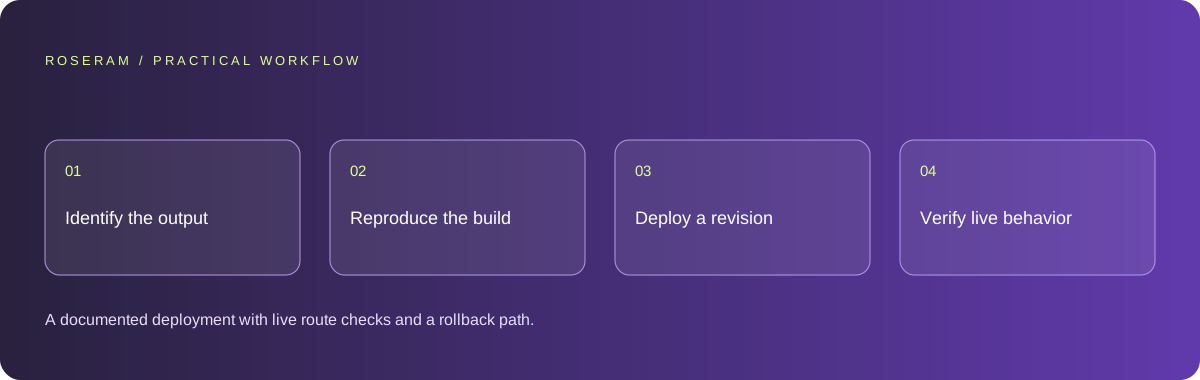
Identify what you are actually publishing
Inspect the generated files and project instructions. A static site may consist of HTML, CSS, JavaScript and assets. A framework application may require a build step, routing support or a running server. A backend API is another component. Hosting a folder of source files is not necessarily equivalent to running the project.
Write a deployment manifest in plain language: application root, package manager, build command, output location, server requirements and necessary variable names. If the repository has multiple apps, identify which one the customer should see. Keep generated build output separate from the original source you edit.
Verify assumptions against the actual framework and host documentation. This guide gives a release method rather than a universal provider configuration. Do not paste a build command intended for one framework into another to satisfy an upload dialog. The wrong output directory can produce a successful deployment containing no working application.
| Output | Deployment concern | Evidence |
|---|---|---|
| Static files | Paths, assets and fallback behavior | Direct URL and refresh checks |
| Server-rendered app | Runtime, build and server configuration | Server starts and routes return expected output |
| API plus frontend | Auth, endpoint configuration and cross-origin behavior | Frontend action reaches the intended API |
| Native app | Package, signing and target platform | Installable build rather than web hosting |
Reproduce the build before diagnosing the host
Start from the reviewed revision and documented dependencies. Run the build command locally or in a controlled build environment. Capture the first failing error. Compilation, lint, type checks and environment validation can fail at different stages. A long log is easier to diagnose when you identify which gate actually stopped the build.
Do not remove a check simply because it blocked deployment. Decide whether the check exposes a real problem, uses inappropriate configuration or depends on unavailable credentials. Fix the relevant cause and rerun the gate. When a temporary exception is justified, document the risk and owner instead of describing the release as fully verified.
Confirm asset paths and the generated output. A browser may tolerate a local path arrangement that fails under a different base URL. Check case-sensitive names and files referenced by metadata, CSS and application configuration. Missing icons do not necessarily stop the build, but they can leave the deployed product visibly unfinished.
Configure the production environment deliberately
Compare the required variables with the host’s configured names without exposing the values. Separate public browser configuration from server credentials. A local file may have supplied values that do not exist in deployment. Conversely, a production variable may accidentally connect a preview to real records.
Keep external callbacks and authorized origins aligned with the actual deployment URL. A login or payment journey can work locally and fail on a new subdomain because its callback configuration differs. Use the relevant provider’s current documentation to configure it, then test the real return journey in the appropriate environment.
Avoid distributing secrets in the deployment report. State whether configuration is present and who owns it. If a key was built into the public output, revoke it and repair the configuration before publishing again. A successful deployment does not reverse prior credential exposure.
Technical references: GitHub: removing sensitive data
Verify the domain and all important routes
After publication, open the public URL in a clean session. Check the root, a nested content page and a nested application route. Refresh the nested route directly and try an unknown path. A navigation-only test can hide an incorrectly configured fallback or a public URL that returns a blank shell.
Check redirects, secure connections and the chosen canonical hostname. Confirm that images and other static files load from the deployed paths. Verify the page title, description and canonical URL in rendered output. A successful screenshot does not prove that the server returns meaningful content to a crawler.
When connecting a custom domain, allow for the actual DNS and certificate state rather than estimating success from elapsed time. Verify that the domain points to the intended release. Keep the previous destination documented so a configuration error can be corrected without guessing.
Technical references: Google: SEO starter guide
Test the customer outcome on the deployed revision
Repeat the primary action: enquire, sign in, save or purchase, depending on the product. Check pending, failure and retry states. For a real integration, record a verified test outcome rather than assuming a success message is sufficient. Do not send unsolicited marketing messages or make a live charge just to generate evidence.
Inspect a mobile browser and a slower connection. A large video, font dependency or script can change the practical experience after publication. Web Vitals provides a framework for loading, interaction and layout stability; distinguish a lab measurement from evidence collected from real visitors.
Monitor server and client failures around the release. Group errors by route, revision and action while minimizing sensitive data. A spike after one deployment can be more actionable than an all-time aggregate. Use it to decide whether to roll back, disable a feature or issue a targeted repair.
Technical references: Playwright: testing best practices · Google: Web Vitals
Keep ownership and rollback explicit
Record where the reviewed source lives, where the site is hosted and which revision is deployed. A site publication and a repository publication are different records. Make sure another authorized person can identify the current release and recover access if the original operator is unavailable.
Prepare a rollback procedure before the first significant update. Preserve a previous working revision and understand whether database or configuration changes are compatible with it. Rolling back code alone may not reverse a data change. Start with small reversible releases and verify one important journey after each.
Specific answers
Common questions
Can I just upload AI-generated HTML?
For a genuinely static site, a static hosting workflow can work. A project that needs a build or backend cannot be verified by uploading its source folder alone.
Why does preview work but deployment fail?
Build gates, runtime versions, missing configuration, output paths, callback URLs or server requirements can differ. Identify the failing stage from the deployment log.
Does publication update the original repository?
Not necessarily. Hosting publication, remote repository publication and local write-back are separate destinations that should be reviewed explicitly.
Sources and editorial method
These references support the indicated technical facts. Workflows, examples and decision tables are original Roseram analysis. Illustrative costs are not vendor prices. No search volume, organic difficulty, ranking result or product endorsement is implied.
- GitHub: removing sensitive data ↗
Revoking exposed credentials and the limits of deleting them from the current file.
- Google: SEO starter guide ↗
Discovery, descriptive titles, useful content and understandable links.
- Playwright: testing best practices ↗
Tests based on user-visible behavior and isolated test state.
- Google: Web Vitals ↗
LCP, INP and CLS measure loading, interaction and visual stability.
Roseram offers AI software and may compete with tools discussed here. Sources checked 2026-10-11. Send a sourced correction.
Your next step
Keep a practical checklist.
Mark your progress. This checklist and helpfulness choice are saved on this device only; they are not public reviews.
0 of 5 complete
Share your experience in the community or submit a sourced correction. Public experiences remain separate from editorial claims.
Bring your next idea
Keep learning. Build with context.
Get Roseram model and workspace reopening updates. The guide remains available whether or not you subscribe.
Explore the workspace guide →