A worked example: where the task becomes difficult
A fictional troubleshooting article explains why a generated app shows a blank preview. A title promising “fix every error instantly” overstates its scope. A better title identifies the symptom and the diagnostic path. The description should explain project root, runtime readiness and client errors without claiming the page has tested the visitor’s project. Compare it with nearby guides to avoid duplicate promises.
Decisions to make before implementation
Keep one primary page identity and a readable topic phrase. Put meaningful differences early rather than appending repeated branding to every clause. Ensure structured data, social previews and visible headings do not contradict the title. Maintain separate metadata for distinct pages and consolidate pages whose only difference is a synonym. Treat length recommendations as presentation guidance rather than an exact universal cutoff.
A practical sequence for the work
Use the sequence below as a task boundary, not as a claim that the example has been executed. Work with approved inputs and the project’s actual architecture. If a required integration or permission is unavailable, keep that stage visibly incomplete rather than generating a plausible substitute result.
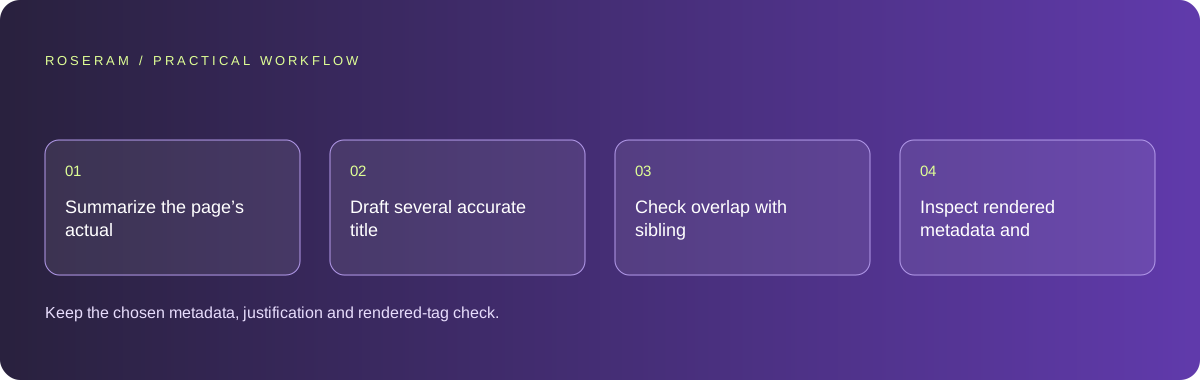
- Summarize the page’s actual answer and unique value in one sentence.
- Draft several accurate title and description alternatives.
- Check overlap with sibling pages and unsupported benefit claims.
- Inspect rendered metadata and canonical URL on the published route.
A detailed brief you can adapt for your agent
Replace the illustrative context with your approved facts and controlled inputs. Keep the stated boundaries when adapting the brief. The expected deliverable matters more than a particular tool name: ask for an explanation grounded in the inspected material and evidence for the requested outcome.
Draft metadata for this blank-preview troubleshooting article using its actual content. Include the symptom and practical diagnostic value. Avoid guaranteed fixes, unsupported “best” claims and invented features. Compare sibling titles for overlap. Return alternatives and the selected canonical path, then inspect rendered tags after implementation.Failure modes that an attractive preview can hide
A model can add “free,” “best” or a current year without evidence or maintenance plans. Remove claims the page cannot substantiate. Do not publish metadata for nonexistent features. Verify the rendered document rather than assuming a configuration object is applied; layouts can override values or produce duplicate tags.
Technical references: Google: SEO starter guide
Acceptance checks and the evidence to retain
Keep the chosen metadata, justification and rendered-tag check. Search-result display and organic performance should be measured separately after indexing.
| Controlled case | Expected evidence |
|---|---|
| Metadata promises a working calculator | The visible page actually contains the described calculator. |
| Two articles receive the same title | Their intent is clarified or the metadata is differentiated. |
| Rendered route is inspected | Title, description and canonical reflect the intended page. |
Specific answers
Common questions
Will Google always use my description?
No. Display text can be selected differently for the query and context.
Does adding more keywords improve the title?
Use a clear accurate promise; keyword stuffing reduces readability and does not establish ranking quality.
What is the practical completion criterion?
Keep the chosen metadata, justification and rendered-tag check. Search-result display and organic performance should be measured separately after indexing.
Sources and editorial method
These references support the indicated technical facts. Workflows, examples and decision tables are original Roseram analysis. Illustrative costs are not vendor prices. No search volume, organic difficulty, ranking result or product endorsement is implied.
- Google: SEO starter guide ↗
Discovery, descriptive titles, useful content and understandable links.
Roseram offers AI software and may compete with tools discussed here. Sources checked 2026-10-11. Send a sourced correction.
Your next step
Keep a practical checklist.
Mark your progress. This checklist and helpfulness choice are saved on this device only; they are not public reviews.
0 of 5 complete
Share your experience in the community or submit a sourced correction. Public experiences remain separate from editorial claims.
Bring your next idea
Keep learning. Build with context.
Get Roseram model and workspace reopening updates. The guide remains available whether or not you subscribe.
Explore the workspace guide →