A worked example: where the task becomes difficult
A fictional note-taking app places Save against the bottom edge. It overlaps the phone’s navigation area and disappears when the keyboard opens. Another screen has a double top inset because both layout and child apply safe-area spacing. Identify which component owns each inset before adding more padding, using the runtime’s current system-bar guidance.
Decisions to make before implementation
Separate content spacing from device insets. Define scroll behavior when the keyboard reduces available space and keep the active input and submission action reachable. Consider edge-to-edge layout, status-bar contrast and navigation transitions. Preserve the source-of-truth layout component rather than patching every screen with different constants.
A practical sequence for the work
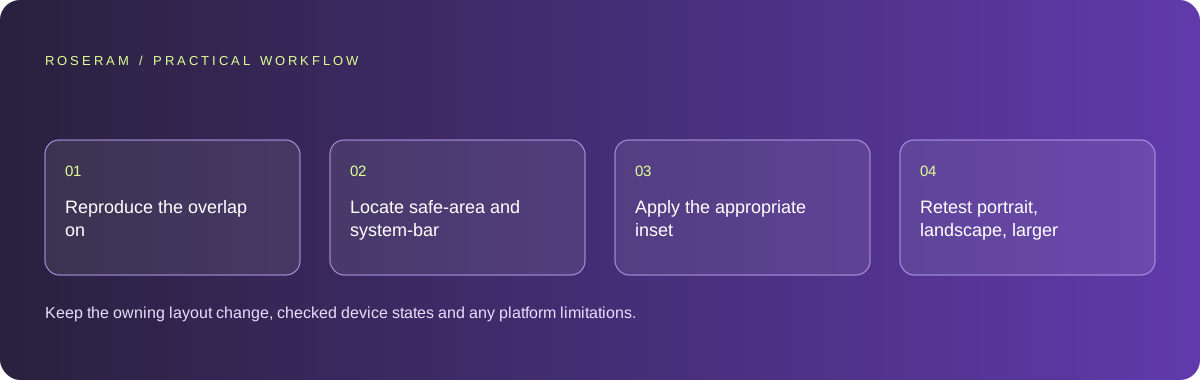
Use the sequence below as a task boundary, not as a claim that the example has been executed. Work with approved inputs and the project’s actual architecture. If a required integration or permission is unavailable, keep that stage visibly incomplete rather than generating a plausible substitute result.
- Reproduce the overlap on the intended device and keyboard state.
- Locate safe-area and system-bar ownership in the component hierarchy.
- Apply the appropriate inset and scroll or keyboard behavior once.
- Retest portrait, landscape, larger text and repeated screen navigation.
A detailed brief you can adapt for your agent
Replace the illustrative context with your approved facts and controlled inputs. Keep the stated boundaries when adapting the brief. The expected deliverable matters more than a particular tool name: ask for an explanation grounded in the inspected material and evidence for the requested outcome.
Repair Save overlap in this mobile note screen. Inspect current safe-area and system-bar ownership. Distinguish device insets from normal spacing and avoid fixed offsets copied from one screenshot. Preserve the app layout system. Verify keyboard, landscape and larger-text behavior on the supported runtime.Failure modes that an attractive preview can hide
Fixed pixel offsets can repair one phone while failing another. Avoid assuming a mobile browser viewport behaves exactly like a native app container. Check a long form as well as a short welcome screen. Decorative backgrounds may extend behind bars while interactive content remains inset; those are different design decisions.
Technical references: Expo: system bars
Acceptance checks and the evidence to retain
Keep the owning layout change, checked device states and any platform limitations. A screenshot of one idle screen should not be presented as complete responsive verification.
| Controlled case | Expected evidence |
|---|---|
| Keyboard opens on the final field | Input and required action remain reachable. |
| Device rotates to landscape | Content avoids system controls without redundant insets. |
| Text size increases | Buttons retain readable labels and a usable layout. |
Specific answers
Common questions
Should I add a fixed bottom margin?
Use the runtime’s layout contract and actual insets rather than a single-device guess.
Does desktop responsive preview prove native layout?
No. Verify the intended native container and device behavior separately.
What is the practical completion criterion?
Keep the owning layout change, checked device states and any platform limitations. A screenshot of one idle screen should not be presented as complete responsive verification.
Sources and editorial method
These references support the indicated technical facts. Workflows, examples and decision tables are original Roseram analysis. Illustrative costs are not vendor prices. No search volume, organic difficulty, ranking result or product endorsement is implied.
- Expo: system bars ↗
System-bar configuration reference; verify the actual runtime and device layout.
Roseram offers AI software and may compete with tools discussed here. Sources checked 2026-10-11. Send a sourced correction.
Your next step
Keep a practical checklist.
Mark your progress. This checklist and helpfulness choice are saved on this device only; they are not public reviews.
0 of 5 complete
Share your experience in the community or submit a sourced correction. Public experiences remain separate from editorial claims.
Bring your next idea
Keep learning. Build with context.
Get Roseram model and workspace reopening updates. The guide remains available whether or not you subscribe.
Explore the workspace guide →