A worked example: where the task becomes difficult
A fictional field app opens an external sign-in page but returns to the wrong app route. The developer tests only the web version, where the callback works. Identify the native scheme or link configuration and the provider’s allowed return destinations. Keep credentials out of debug output and preserve the original task, such as opening a visit, after successful authentication.
Decisions to make before implementation
Define secure session persistence appropriate to the runtime and provider. Consider account switching, revoked sessions and app restart. Validate deep-link destinations and avoid granting access based on callback parameters alone. Keep server authorization in place even when the mobile interface believes it is signed in. Decide how recovery works when the user dismisses the external sign-in flow.
A practical sequence for the work
Use the sequence below as a task boundary, not as a claim that the example has been executed. Work with approved inputs and the project’s actual architecture. If a required integration or permission is unavailable, keep that stage visibly incomplete rather than generating a plausible substitute result.
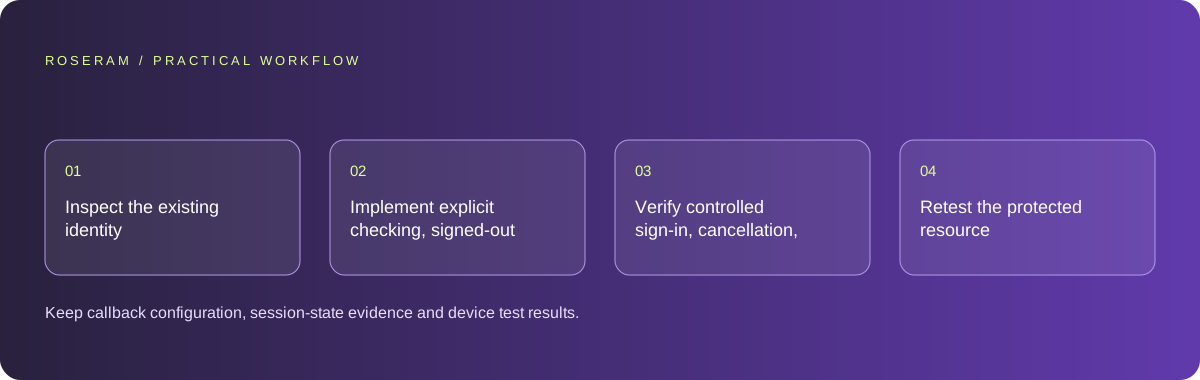
- Inspect the existing identity provider and native callback configuration.
- Implement explicit checking, signed-out and signed-in states.
- Verify controlled sign-in, cancellation, app restart and sign-out.
- Retest the protected resource with direct server authorization checks.
A detailed brief you can adapt for your agent
Replace the illustrative context with your approved facts and controlled inputs. Keep the stated boundaries when adapting the brief. The expected deliverable matters more than a particular tool name: ask for an explanation grounded in the inspected material and evidence for the requested outcome.
Repair or implement mobile sign-in using the existing provider and callback contract. Trace external login, native return and session establishment separately. Preserve the requested visit route and validate its scope. Include cancellation, restart and sign-out. Do not expose tokens or substitute a local boolean for server authorization.Failure modes that an attractive preview can hide
A successful external login can still fail to establish the app session. Do not hide that state behind an infinite spinner. A local signed-in boolean is not a trusted credential. Avoid storing secrets in ordinary logs or screenshots. Simulator-only testing may miss actual external-browser and app-return behavior.
Technical references: Expo: start developing
Acceptance checks and the evidence to retain
Keep callback configuration, session-state evidence and device test results. Distinguish identity-provider success from protected-resource access in the app.
| Controlled case | Expected evidence |
|---|---|
| User cancels external login | The app returns to a clear recoverable signed-out state. |
| App restarts after successful sign-in | Session handling follows the approved persistence policy. |
| Callback names an unauthorized resource | Server access checks still reject it. |
Specific answers
Common questions
Can a browser callback configuration be reused unchanged?
Check the provider and native linking requirements; the mobile return path may differ.
Does a signed-in screen prove access is protected?
No. Receiving services still need authorization for the requested records.
What is the practical completion criterion?
Keep callback configuration, session-state evidence and device test results. Distinguish identity-provider success from protected-resource access in the app.
Sources and editorial method
These references support the indicated technical facts. Workflows, examples and decision tables are original Roseram analysis. Illustrative costs are not vendor prices. No search volume, organic difficulty, ranking result or product endorsement is implied.
- Expo: start developing ↗
Running the development server and checking changes on a device.
Roseram offers AI software and may compete with tools discussed here. Sources checked 2026-10-11. Send a sourced correction.
Your next step
Keep a practical checklist.
Mark your progress. This checklist and helpfulness choice are saved on this device only; they are not public reviews.
0 of 5 complete
Share your experience in the community or submit a sourced correction. Public experiences remain separate from editorial claims.
Bring your next idea
Keep learning. Build with context.
Get Roseram model and workspace reopening updates. The guide remains available whether or not you subscribe.
Explore the workspace guide →