A worked example: where the task becomes difficult
A fictional software waitlist collects permission for reopening updates. The team wants a welcome message and a few educational follow-ups. The sequence should not quietly become unrelated affiliate advertising. Start with the consent language, expected topics, sender identity and an explicit stop condition. Use a controlled test contact when checking delivery rather than enrolling arbitrary public addresses.
Decisions to make before implementation
Separate contact creation, consent, segment membership, journey enrollment and delivery. Decide how duplicate signups, unsubscribes and already-enrolled contacts are handled. Timing should follow the promise made at signup and the reader’s needs, not an invented urgency cycle. Keep product availability honest: a welcome email should not imply access has reopened when it has not.
A practical sequence for the work
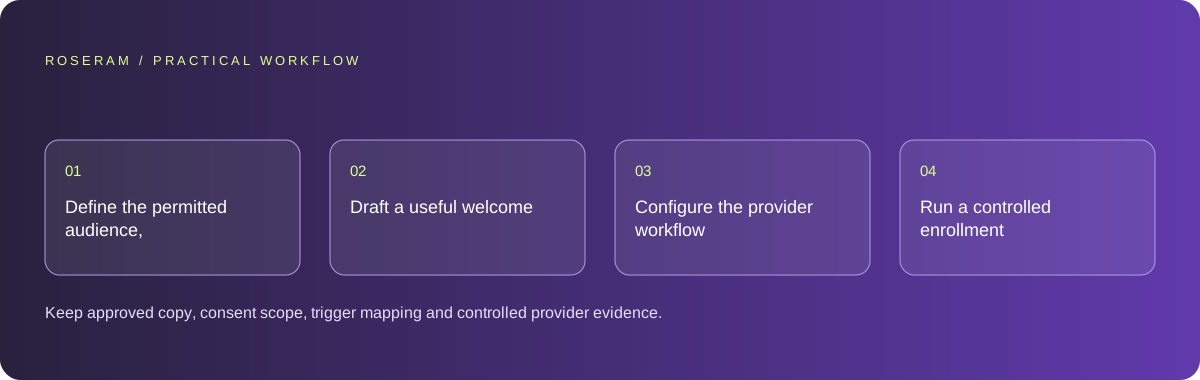
Use the sequence below as a task boundary, not as a claim that the example has been executed. Work with approved inputs and the project’s actual architecture. If a required integration or permission is unavailable, keep that stage visibly incomplete rather than generating a plausible substitute result.
- Define the permitted audience, message purpose and enrollment trigger.
- Draft a useful welcome plus distinct follow-up topics and stop conditions.
- Configure the provider workflow with duplicate and unsubscribe handling.
- Run a controlled enrollment and verify each relevant sending stage.
A detailed brief you can adapt for your agent
Replace the illustrative context with your approved facts and controlled inputs. Keep the stated boundaries when adapting the brief. The expected deliverable matters more than a particular tool name: ask for an explanation grounded in the inspected material and evidence for the requested outcome.
Draft a reopening-waitlist sequence from this consent purpose. Create a welcome and distinct useful learning messages without false access promises. Define enrollment, duplicate and stop conditions. Do not send or enroll anyone. Return copy and a provider-neutral verification checklist covering contact, consent, journey state and delivery.Failure modes that an attractive preview can hide
A contact existing in the provider does not prove it entered the automation. Check the trigger and journey state. Delivery acceptance is not the same as inbox placement. Do not send test messages to real subscribers while iterating copy. Avoid claims of legal compliance based solely on an AI draft; review the applicable requirements for the intended audience.
Technical references: Google: SEO starter guide
Acceptance checks and the evidence to retain
Keep approved copy, consent scope, trigger mapping and controlled provider evidence. Report prepared messages separately from configured, enrolled and delivered automation.
| Controlled case | Expected evidence |
|---|---|
| Same person opts in twice | The selected workflow avoids duplicate simultaneous journeys. |
| Subscriber opts out | Future promotional steps stop under the provider’s suppression rules. |
| Controlled contact joins | Enrollment and the expected test delivery are verified separately. |
Specific answers
Common questions
Does saving an email address start a sequence?
Only if the configured trigger and enrollment workflow actually do so.
Can I add publicly found contacts to the waitlist?
A public address does not itself establish permission for the promised subscription.
What is the practical completion criterion?
Keep approved copy, consent scope, trigger mapping and controlled provider evidence. Report prepared messages separately from configured, enrolled and delivered automation.
Sources and editorial method
These references support the indicated technical facts. Workflows, examples and decision tables are original Roseram analysis. Illustrative costs are not vendor prices. No search volume, organic difficulty, ranking result or product endorsement is implied.
- Google: SEO starter guide ↗
Discovery, descriptive titles, useful content and understandable links.
Roseram offers AI software and may compete with tools discussed here. Sources checked 2026-10-11. Send a sourced correction.
Your next step
Keep a practical checklist.
Mark your progress. This checklist and helpfulness choice are saved on this device only; they are not public reviews.
0 of 5 complete
Share your experience in the community or submit a sourced correction. Public experiences remain separate from editorial claims.
Bring your next idea
Keep learning. Build with context.
Get Roseram model and workspace reopening updates. The guide remains available whether or not you subscribe.
Explore the workspace guide →