A worked example: where the task becomes difficult
A fictional consultancy’s enquiry form captures company, contact address and service interest. The CRM expects a person record linked to a company and assigned to an owner. The agent creates only an unassigned note and calls the integration complete. Write the actual sales workflow first: where the enquiry appears, who follows up and which fields establish a duplicate.
Decisions to make before implementation
Map field types and required values explicitly. Decide whether an existing contact is updated or a new lead is created. Preserve source and submission references without storing unnecessary private content. Handle CRM downtime by retaining the enquiry or returning an honest failure under the approved policy. A service enquiry does not automatically authorize a promotional journey.
A practical sequence for the work
Use the sequence below as a task boundary, not as a claim that the example has been executed. Work with approved inputs and the project’s actual architecture. If a required integration or permission is unavailable, keep that stage visibly incomplete rather than generating a plausible substitute result.
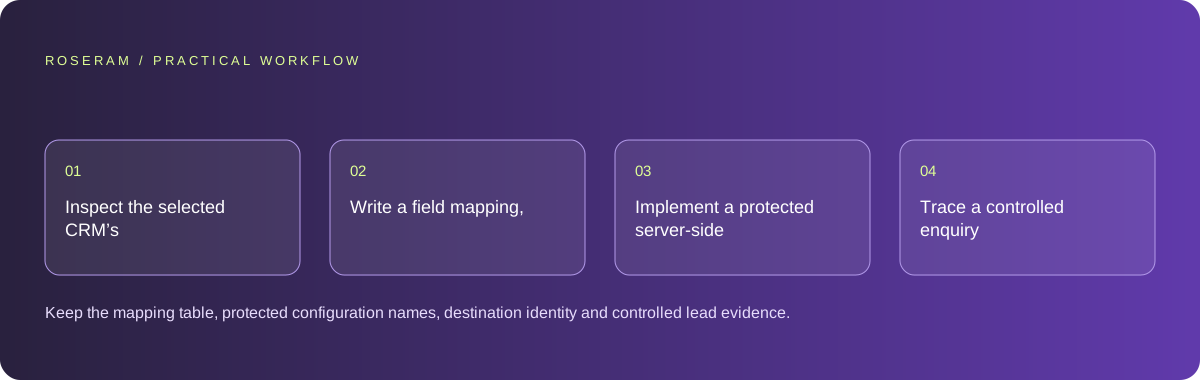
- Inspect the selected CRM’s current API contract and required fields.
- Write a field mapping, ownership and duplicate policy.
- Implement a protected server-side integration with explicit delivery states.
- Trace a controlled enquiry into the intended CRM view and retry path.
A detailed brief you can adapt for your agent
Replace the illustrative context with your approved facts and controlled inputs. Keep the stated boundaries when adapting the brief. The expected deliverable matters more than a particular tool name: ask for an explanation grounded in the inspected material and evidence for the requested outcome.
Connect this enquiry form to the selected CRM using its current API contract. Map fields, source reference, owner and duplicate behavior. Keep credentials server-side and marketing consent separate. Test with a controlled contact and verify the operator’s destination view. Do not claim delivery from request acceptance alone.Failure modes that an attractive preview can hide
A successful HTTP response may create a record in the wrong workspace or category. Verify the destination account and actual operator view. Avoid putting a CRM access token in a public form. Do not automatically enroll every imported contact in email automation; the integration needs the intended consent and audience rules.
Technical references: MDN: form validation
Acceptance checks and the evidence to retain
Keep the mapping table, protected configuration names, destination identity and controlled lead evidence. Report contact creation, assignment and promotional enrollment as different states.
| Controlled case | Expected evidence |
|---|---|
| Existing contact submits another enquiry | The approved duplicate policy preserves useful history. |
| CRM is temporarily unavailable | The enquiry has an observable recoverable state. |
| Controlled lead is accepted | The assigned operator can find it in the intended workspace. |
Specific answers
Common questions
Does creating a contact enroll it in marketing?
Only if the configured authorized workflow does that; keep consent and journey state explicit.
Is an API success status enough?
Verify the intended record, workspace and operator visibility as well.
What is the practical completion criterion?
Keep the mapping table, protected configuration names, destination identity and controlled lead evidence. Report contact creation, assignment and promotional enrollment as different states.
Sources and editorial method
These references support the indicated technical facts. Workflows, examples and decision tables are original Roseram analysis. Illustrative costs are not vendor prices. No search volume, organic difficulty, ranking result or product endorsement is implied.
- MDN: form validation ↗
Client validation helps users but cannot replace server-side validation.
Roseram offers AI software and may compete with tools discussed here. Sources checked 2026-10-11. Send a sourced correction.
Your next step
Keep a practical checklist.
Mark your progress. This checklist and helpfulness choice are saved on this device only; they are not public reviews.
0 of 5 complete
Share your experience in the community or submit a sourced correction. Public experiences remain separate from editorial claims.
Bring your next idea
Keep learning. Build with context.
Get Roseram model and workspace reopening updates. The guide remains available whether or not you subscribe.
Explore the workspace guide →