Meet Maya and Her Smart News App
Maya runs a news app named Daily Bot. Her smart AI tool writes news stories each day. Readers buy a pass to read these stories. A payment partner handles the money for Maya. That partner sends news of each sale right away. Maya wants her AI app to open stories fast.
Think of webhooks like cards dropped in a box. A webhook is an automated message sent between apps. The payment computer sends a card when clients pay. Then Maya's AI app unlocks the full news story. We will connect webhooks ai application parts with care. Safe links keep your data clean and users happy.
A problem can happen at this mail slot. The mail carrier might drop the same card twice. A fake sender might drop a card inside too. Maya must check each card before giving out access. We will help Maya build a safe front door. Her app will never be tricked by bad mail.
What You Need Before You Start
You do not need fancy gear for this work. First, you need an endpoint address for your app. An endpoint is a web address that gets data. Next, you need a secret key from your provider. A secret key is a hidden code between systems. Keep this key safe like your house key.
You also need a database for your app. A database is a digital filing box that saves facts. It holds a list of each card seen today. Next, you need a safe test mode space. A test mode is a practice sandbox for fake events. It lets you test without using real cash.
You need the official setup guide from your provider. This guide shows how event messages look and act. Each event carries special fields and a digital stamp. Reading the guide helps you catch bad cards early. Check your guide before you write any new code.
- A hidden secret key saved in a safe spot.
- A working endpoint address ready to catch incoming data.
- A database to store message tracking numbers with care.
- A test mode space to send pretend billing events.
A Safe Four-Step Path for Webhook Data
Do not run your AI as soon as mail comes. You must separate checks from the heavy AI work. First, check who sent the card at the door. An authenticity check proves who sent the note. Never trust a card just because it looks nice. Official provider checks keep bad actors away.
Second, save the card in your database right away. An idempotency key is an unchanging ID for one action. If you see an ID saved already, stop there. Do not run your heavy AI code twice. Just note that you saw it and skip work.
Third, send a fast success reply to the sender. This tells the provider that the card arrived safely. If you take too long, the provider retries. Those retries cause extra traffic on your app server. Fast answers keep your web network calm and well.
Fourth, let your AI do its job in peace. The AI reads the saved note and helps clients. Even if the AI crashes, the event stays saved. You can fix the bug without losing paid records.
Read more: MDN: form validation
A Worked Story: Maya Catches a Double Charge
Let us watch Maya test with pretend practice data. A client named Sam renews his Daily Bot plan. The billing tool sends a test card to Maya. This sample payload carries labeled details for our run. It has an ID of `evt_sample_404` and says `paid`.
Maya's app gets the card and checks the stamp. The stamp matches the secret key on her server. Maya marks `evt_sample_404` as saved in her filing box. Then she starts her AI task for Sam's plan. But the billing tool thought Maya was too slow. It sends the same `evt_sample_404` card a second time.
The second card hits Maya's digital front door. Her code reads the ID and checks the table. That ID `evt_sample_404` is already written in the log. Maya's app says ok but skips the AI step. Sam gets his news once, and her app stays safe.
A Second Use Case: Support Ticket Triage
This mailbox pattern helps other kinds of tools too. Think of a support desk named Fast Help. Clients write notes about broken tools or lost files. The mail tool sends a webhook to an AI. The AI reads the note to pick an agent.
Sometimes the mail tool retries after a network blip. If the app acts twice, two agents get tasked. That wastes good staff time and annoys the client. Instead, the support app logs the ticket event ID. It only runs the AI step on card one.
If a twin card comes, the system drops it. The client gets one clean answer from one agent. The support desk stays calm during busy morning hours. Safe webhook rules keep every business job running smooth.
Common Mistakes and How to Fix Them
Do not trust a card that says `verified: true`. Anyone can write those words in a fake note. Always check the digital signature with your secret key. You must check the true sender at your door. Never trust what an unverified web message claims.
Do not run slow AI jobs before saying thanks. Big AI models take some time to think and act. Payment systems do not like to wait that long. They will time out and send the card again. Save the card first, answer fast, and think later.
Do not run live client data while testing fixes. Replaying live cards can trigger double bills or bad notes. Always use safe test fixtures in your sandbox. Check that your database drops twin cards without pain.
Watch out for messages that arrive out of order. A cancel card might arrive before a renewal card. Always check the true state before you change access. Good checks keep your records true to real life.
Read more: MDN: form validation
A Simple Test You Can Perform
You can test your own webhook door right now. Open your sandbox and build one sample test card. Send this pretend card right into your app endpoint. Check your database to see that it was saved. You should see one new row in your table.
Now send that same test card a second time. Watch your server logs and your AI output closely. Did your AI helper run a second time? If your app skipped the twin card, you passed. Your code stopped the duplicate message with ease. Use this check table to review your system health.
| Controlled Test Case | Expected System Action |
|---|---|
| Same accepted event is delivered twice | App records duplicate and skips extra AI actions. |
| Event authenticity check fails at the door | App drops message and makes no account changes. |
| Events arrive out of regular time order | Database checks preserve the true final account status. |
Your Next Step with Roseram
Now you can build a safe webhook receiver app. Read your provider guide to find their signature rules. Make a list of events your AI app needs. Build a small database table for every event ID. Keep your code short, clean, and safe to read.
Roseram can help you write your signature check logic. Roseram can also help you design your twin tests. Tool access and limits depend on your current plan. Start by locking your digital door with safe checks today.
Here is my webhook receiver code and sample payload with id 'evt_sample_404'. Please check if my code safely verifies the provider signature before saving the event id. Then, tell me if duplicate events are safely ignored.
Your idea. Your next step.
Put Roseram super intelligence to work.
Bring the idea you keep coming back to. Choose a Roseram plan, then give your project a clear first task. You can think it through, build a first version, and improve it as you learn.
Check current access, plan limits, and pricing before joining.
Your next step
Your quick checklist.
Tick a step as you finish it. Your ticks and feedback stay on this device. They are not public reviews.
0 of 7 complete
Tell the community what you tried or tell us what needs fixing. Include a source if you are correcting a fact.
Your questions, answered
Can any JSON message count as real?
No. Fake messages can trick you. Use your secret key to check them. Follow the true contract rules.
Will messages always arrive in order?
No. Messages can arrive late. They can even arrive twice. You must plan for messy order.
What should I save to prove it works?
Save your contract notes first. Save rules for duplicate cards. Also keep your test proof.
Why not run AI before answering?
AI tasks are very slow. Slow tasks cause bad time-outs. Then providers resend the same message.
Want the technical details?Open the code notes, deeper checks, and common questions.
These notes go deeper. Use the parts that fit your project. Examples are for learning; they are not claims that we tested your app.
A worked example: where the task becomes difficult
A fictional subscription app receives a renewal event and updates entitlement. The provider retries after a delayed acknowledgement, and the app grants the benefit twice. Another event arrives before a previous state change. Use the provider’s test mode and official event contract, but keep this guide’s workflow provider-neutral; the signature and payload details must come from the chosen service.
Decisions to make before implementation
Separate event receipt, validation, durable acceptance and business processing. Define the idempotency key and a recoverable failure state. Confirm which event types are relevant and whether authoritative provider state should be queried during reconciliation. Avoid trusting a payload field that says verified. Keep secrets protected and use provider-supported authenticity checks at the receiving boundary.
A practical sequence for the work
Use the sequence below as a task boundary, not as a claim that the example has been executed. Work with approved inputs and the project’s actual architecture. If a required integration or permission is unavailable, keep that stage visibly incomplete rather than generating a plausible substitute result.
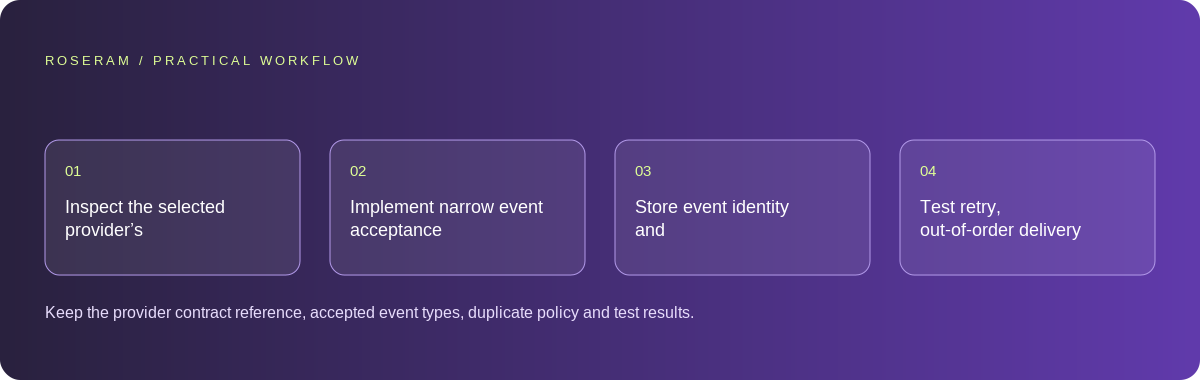
- Inspect the selected provider’s current event and authenticity documentation.
- Implement narrow event acceptance with protected verification configuration.
- Store event identity and process business changes under a duplicate-safe contract.
- Test retry, out-of-order delivery and reconciliation of a missed event.
A detailed brief you can adapt for your agent
Replace the illustrative context with your approved facts and controlled inputs. Keep the stated boundaries when adapting the brief. The expected deliverable matters more than a particular tool name: ask for an explanation grounded in the inspected material and evidence for the requested outcome.
Implement the selected webhook integration from its official contract. Separate verification, durable acceptance and business processing. Store event identity and make duplicate handling explicit. Use controlled provider tests for invalid authenticity, retry and out-of-order delivery. Do not trust self-asserted payload fields or replay live customer effects.
Failure modes that an attractive preview can hide
Returning success before durable acceptance can lose an event during a crash. Returning failure after applying the business change can trigger a duplicate. Design that boundary deliberately. Do not replay production events while debugging without knowing their side effects. Use controlled fixtures and report whether integration configuration or actual provider delivery was verified.
Read more: MDN: form validation
Acceptance checks and the evidence to retain
Keep the provider contract reference, accepted event types, duplicate policy and test results. Distinguish a coded endpoint from configured and observed provider delivery.
| Controlled case | Expected evidence |
|---|---|
| Same accepted event is delivered twice | Business effects follow the selected idempotency policy. |
| Event authenticity check fails | No trusted business transition is applied. |
| Events arrive out of order | Processing or reconciliation preserves a supported final state. |
Common questions
Can any JSON request count as a provider event?
No. Verify authenticity according to the selected provider’s contract.
Will events always arrive once and in order?
Design for the provider’s actual delivery semantics and test retries and ordering explicitly.
What is the practical completion criterion?
Keep the provider contract reference, accepted event types, duplicate policy and test results. Distinguish a coded endpoint from configured and observed provider delivery.
Where the facts come from
Use these links to check the technical facts. The stories here are made-up examples to help you learn. Roseram sells AI tools; our examples are not promises of results.
- MDN: form validation ↗
What this source covers
Client validation helps users but cannot replace server-side validation.
References last reviewed 2026-10-11. Writing refreshed 2026-10-14. Spot a mistake? Tell us.
