A worked example: where the task becomes difficult
A fictional resource library contains tutorials, tools and case studies. A visitor types “mobile” and selects a testing category. The UI should make clear whether both conditions apply or one overrides the other. Start with a controlled dataset containing titles, descriptions and categories. Do not make every keystroke fetch the complete library from storage.
Decisions to make before implementation
Choose local filtering for a small already-loaded public inventory or a remote query for larger data. Define case handling, whitespace normalization and whether search covers aliases or body text. Separate no matches from a failed search request. For remote results, cancel or ignore stale responses so a slower earlier query cannot replace the latest input.
A practical sequence for the work
Use the sequence below as a task boundary, not as a claim that the example has been executed. Work with approved inputs and the project’s actual architecture. If a required integration or permission is unavailable, keep that stage visibly incomplete rather than generating a plausible substitute result.
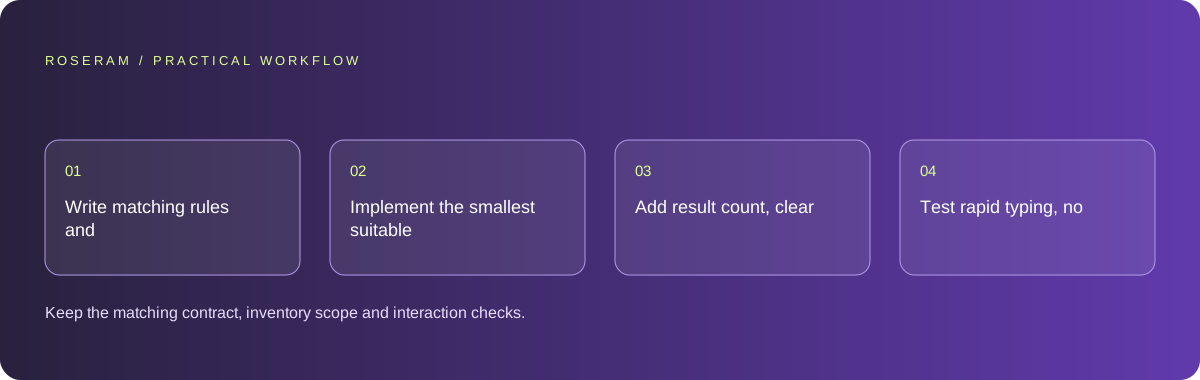
- Write matching rules and category-combination behavior with example records.
- Implement the smallest suitable local or remote search path.
- Add result count, clear filters and accessible input labeling.
- Test rapid typing, no matches and stale remote responses.
A detailed brief you can adapt for your agent
Replace the illustrative context with your approved facts and controlled inputs. Keep the stated boundaries when adapting the brief. The expected deliverable matters more than a particular tool name: ask for an explanation grounded in the inspected material and evidence for the requested outcome.
Build resource search using this public inventory and explicit matching rules. Combine query and category predictably. Use local filtering if the loaded dataset is sufficient; otherwise return bounded remote results and ignore stale responses. Distinguish no matches from failures. Add a clear-filter action and keyboard-accessible controls.Failure modes that an attractive preview can hide
A spinner can obscure the distinction between loading and an empty result. Use clear states and retain the typed query on failure. Avoid exposing private records through a public search endpoint. A client-side category filter should not imply it searched resources that were never loaded; communicate the actual inventory boundary.
Technical references: Google: semantic HTML
Acceptance checks and the evidence to retain
Keep the matching contract, inventory scope and interaction checks. Search should reduce effort without turning every typing insertion into an unbounded data download.
| Controlled case | Expected evidence |
|---|---|
| Query and category are selected together | Results follow the documented combination rule. |
| Earlier remote response arrives last | It does not overwrite results for the current query. |
| No resource matches | The user can understand and clear the active constraints. |
Specific answers
Common questions
Should every keystroke call the database?
Not necessarily. Small loaded datasets can filter locally; remote search needs bounded request handling.
Is zero results the same as a failed request?
No. Present those states separately so the user knows how to recover.
What is the practical completion criterion?
Keep the matching contract, inventory scope and interaction checks. Search should reduce effort without turning every typing insertion into an unbounded data download.
Sources and editorial method
These references support the indicated technical facts. Workflows, examples and decision tables are original Roseram analysis. Illustrative costs are not vendor prices. No search volume, organic difficulty, ranking result or product endorsement is implied.
- Google: semantic HTML ↗
Meaningful document structure supports readers and accessibility tools.
Roseram offers AI software and may compete with tools discussed here. Sources checked 2026-10-11. Send a sourced correction.
Your next step
Keep a practical checklist.
Mark your progress. This checklist and helpfulness choice are saved on this device only; they are not public reviews.
0 of 5 complete
Share your experience in the community or submit a sourced correction. Public experiences remain separate from editorial claims.
Bring your next idea
Keep learning. Build with context.
Get Roseram model and workspace reopening updates. The guide remains available whether or not you subscribe.
Explore the workspace guide →