A worked example: where the task becomes difficult
A fictional café has a breakfast menu, a lunch menu and rotating daily specials. Its existing PDF is difficult to read on phones and contains last month’s prices. The owner wants a fast public menu first, with ordering considered later. Ask for structured menu data and actual service hours. A generated photograph or description must not promise ingredients or portion sizes the café has not approved.
Decisions to make before implementation
Separate the menu’s informational role from an order-taking system. For a public menu, clear sections and current prices may be enough. Ordering additionally needs availability, modifier pricing, kitchen acceptance and cancellation behavior. Mark allergens only from an approved operational process; AI should not infer them from dish names. Explain how sold-out dishes and temporary price changes are updated during service.
A practical sequence for the work
Use the sequence below as a task boundary, not as a claim that the example has been executed. Work with approved inputs and the project’s actual architecture. If a required integration or permission is unavailable, keep that stage visibly incomplete rather than generating a plausible substitute result.
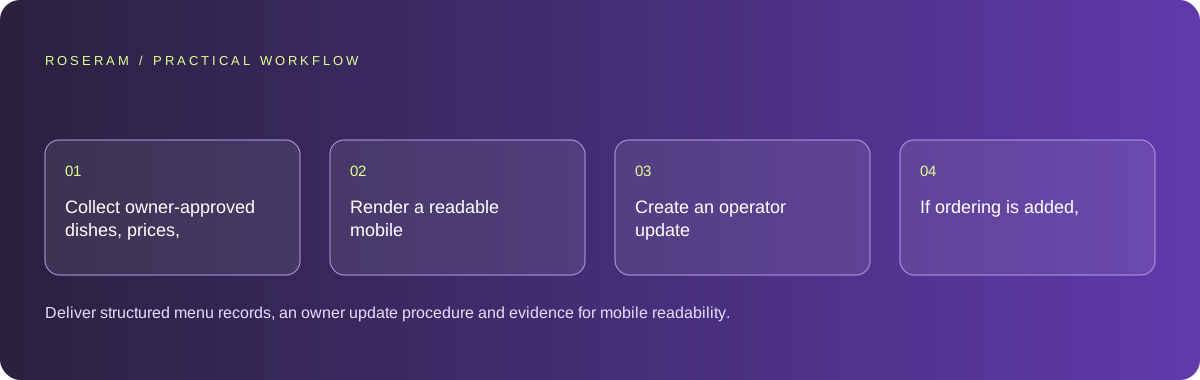
- Collect owner-approved dishes, prices, hours and dietary information in structured records.
- Render a readable mobile menu with headings and text-based prices.
- Create an operator update path for specials and unavailable items.
- If ordering is added, verify kitchen acceptance and totals as a separate journey.
A detailed brief you can adapt for your agent
Replace the illustrative context with your approved facts and controlled inputs. Keep the stated boundaries when adapting the brief. The expected deliverable matters more than a particular tool name: ask for an explanation grounded in the inspected material and evidence for the requested outcome.
Build a text-based café menu using only the supplied approved dishes and prices. Keep dietary fields unknown unless verified. Support service-time sections and sold-out status. Test large text and a phone viewport. Do not add checkout or invent food photographs as representations of actual dishes. Document how the owner updates specials.Failure modes that an attractive preview can hide
A menu can look current while a cache serves old prices. Test the update path on a returning visitor’s phone. Avoid making icon-only dietary labels carry the entire meaning, and do not publish unsupported health or allergy assurances. If a customer needs a specific accommodation, provide a direct way to ask the café rather than treating generated text as a guarantee.
Technical references: MDN: sending form data
Acceptance checks and the evidence to retain
Deliver structured menu records, an owner update procedure and evidence for mobile readability. Keep informational availability distinct from a confirmed kitchen order.
| Controlled case | Expected evidence |
|---|---|
| Owner marks a dish sold out | A new and returning visitor see the approved availability state. |
| Menu is viewed with large text | Dish names, prices and modifiers remain readable without clipping. |
| Ordering receives a modifier selection | The shown and accepted totals use the same approved rules. |
Specific answers
Common questions
Can AI infer allergens from a recipe title?
Do not rely on that; use an owner-approved ingredient and preparation process.
Is a menu image sufficient?
A text-based menu is easier to search, resize and navigate; imagery can supplement it.
What is the practical completion criterion?
Deliver structured menu records, an owner update procedure and evidence for mobile readability. Keep informational availability distinct from a confirmed kitchen order.
Sources and editorial method
These references support the indicated technical facts. Workflows, examples and decision tables are original Roseram analysis. Illustrative costs are not vendor prices. No search volume, organic difficulty, ranking result or product endorsement is implied.
- MDN: sending form data ↗
Form submission transports data to a receiving endpoint; downstream delivery is a separate implementation.
Roseram offers AI software and may compete with tools discussed here. Sources checked 2026-10-11. Send a sourced correction.
Your next step
Keep a practical checklist.
Mark your progress. This checklist and helpfulness choice are saved on this device only; they are not public reviews.
0 of 5 complete
Share your experience in the community or submit a sourced correction. Public experiences remain separate from editorial claims.
Bring your next idea
Keep learning. Build with context.
Get Roseram model and workspace reopening updates. The guide remains available whether or not you subscribe.
Explore the workspace guide →