A worked example: where the task becomes difficult
A fictional maintenance app collects a long inspection form in a building with poor connectivity. The technician must keep answers when the app closes, but the server may update required fields before reconnect. Start with one controlled form version and an explicit draft identifier. Do not display “submitted” merely because the local form was saved successfully.
Decisions to make before implementation
Choose draft lifetime, device/account ownership and handling on sign-out. Define required-field versioning and whether a stale draft can still be accepted. Keep attachments and text coordinated so a recovered form does not reference missing images. Use the runtime’s appropriate storage mechanism and report limits; a local device copy is not a complete organizational backup.
A practical sequence for the work
Use the sequence below as a task boundary, not as a claim that the example has been executed. Work with approved inputs and the project’s actual architecture. If a required integration or permission is unavailable, keep that stage visibly incomplete rather than generating a plausible substitute result.
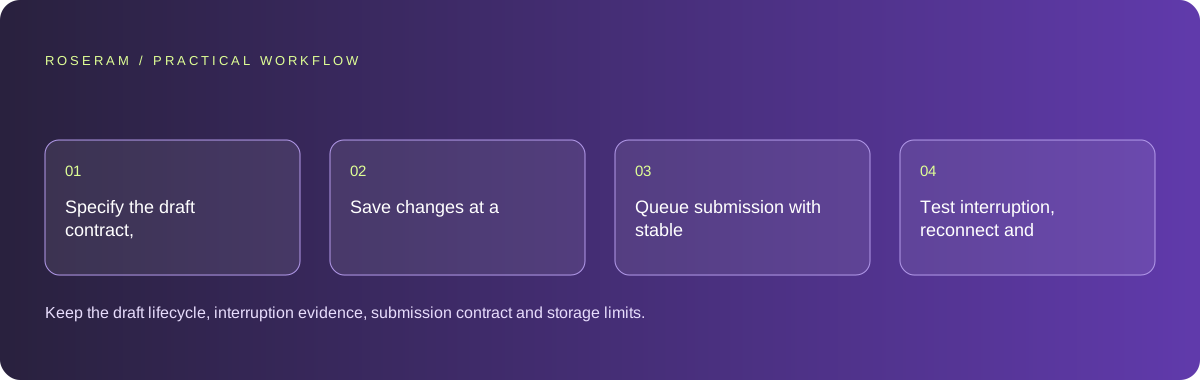
- Specify the draft contract, form version and permitted local data.
- Save changes at a recoverable boundary and show local status.
- Queue submission with stable identity and validate on the receiving service.
- Test interruption, reconnect and a changed server form contract.
A detailed brief you can adapt for your agent
Replace the illustrative context with your approved facts and controlled inputs. Keep the stated boundaries when adapting the brief. The expected deliverable matters more than a particular tool name: ask for an explanation grounded in the inspected material and evidence for the requested outcome.
Build one offline inspection draft using the existing mobile storage architecture. Keep local saved and server submitted states distinct. Retain form version, draft identity and attachments. Handle interruption and stale validation without erasing input. Use controlled fixtures and do not claim device storage guarantees cross-device recovery.Failure modes that an attractive preview can hide
Saving only on a final button leaves hours of input vulnerable to interruption. Saving every character indiscriminately can create unnecessary work or expose sensitive data. Use an intentional persistence strategy. If a stale form cannot be submitted, explain required corrections without discarding the draft or pretending the server accepted it.
Technical references: Expo: start developing
Acceptance checks and the evidence to retain
Keep the draft lifecycle, interruption evidence, submission contract and storage limits. The technician should understand what is safe locally and what has actually reached the organization.
| Controlled case | Expected evidence |
|---|---|
| App closes during a controlled inspection | The supported draft recovery restores the expected fields. |
| Server form version changes | Submission applies the documented compatibility or correction rule. |
| Same queued form retries | The selected submission identity prevents unintended duplication. |
Specific answers
Common questions
Should offline save say submitted?
No. Use a distinct local-draft status until the receiving service accepts it.
What happens when the form changes?
Define a compatibility or correction workflow that preserves useful existing input.
What is the practical completion criterion?
Keep the draft lifecycle, interruption evidence, submission contract and storage limits. The technician should understand what is safe locally and what has actually reached the organization.
Sources and editorial method
These references support the indicated technical facts. Workflows, examples and decision tables are original Roseram analysis. Illustrative costs are not vendor prices. No search volume, organic difficulty, ranking result or product endorsement is implied.
- Expo: start developing ↗
Running the development server and checking changes on a device.
Roseram offers AI software and may compete with tools discussed here. Sources checked 2026-10-11. Send a sourced correction.
Your next step
Keep a practical checklist.
Mark your progress. This checklist and helpfulness choice are saved on this device only; they are not public reviews.
0 of 5 complete
Share your experience in the community or submit a sourced correction. Public experiences remain separate from editorial claims.
Bring your next idea
Keep learning. Build with context.
Get Roseram model and workspace reopening updates. The guide remains available whether or not you subscribe.
Explore the workspace guide →