A worked example: where the task becomes difficult
A fictional community workshop has forty seats, two ticket categories and an optional accessibility request. Some registrations are pending payment, others are complimentary. The organizer needs to know confirmed attendance, not just form submissions. Begin with a free controlled event and fake attendees. Separate information needed for the ticket from sensitive accommodation details, which should have a restricted handling process and a retention decision.
Decisions to make before implementation
Choose whether capacity is shared across ticket categories or allocated independently. Define waitlist promotion and what happens when a pending reservation expires. Ticket references should not expose an attendee’s complete contact record. Check-in can mark attendance but must not silently increase capacity or reuse a ticket already admitted. If tickets are transferable, decide how the old credential becomes invalid.
A practical sequence for the work
Use the sequence below as a task boundary, not as a claim that the example has been executed. Work with approved inputs and the project’s actual architecture. If a required integration or permission is unavailable, keep that stage visibly incomplete rather than generating a plausible substitute result.
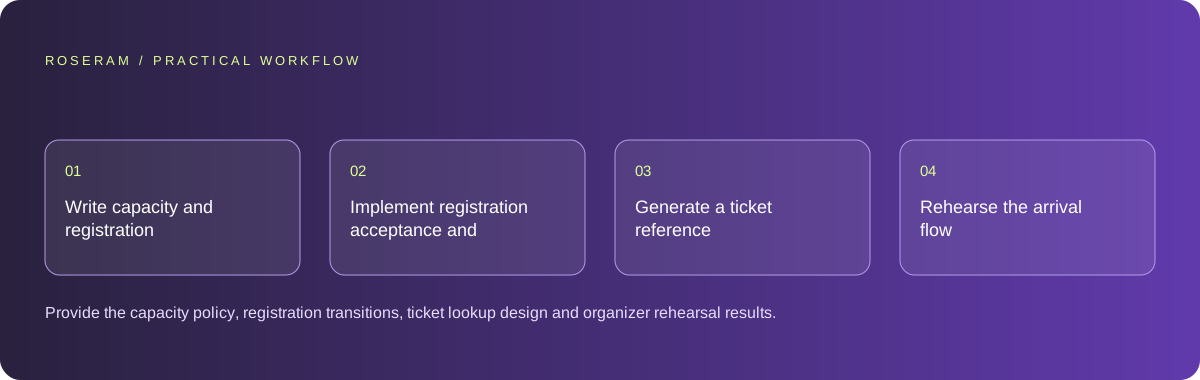
- Write capacity and registration states with examples for each ticket type.
- Implement registration acceptance and cancellation against controlled attendee records.
- Generate a ticket reference and a restricted organizer check-in view.
- Rehearse the arrival flow with poor connectivity and repeated scans.
A detailed brief you can adapt for your agent
Replace the illustrative context with your approved facts and controlled inputs. Keep the stated boundaries when adapting the brief. The expected deliverable matters more than a particular tool name: ask for an explanation grounded in the inspected material and evidence for the requested outcome.
Build one controlled event registration journey for forty seats. Model accepted, pending, cancelled and checked-in states. Do not encode private attendee details in the public ticket. Add a duplicate-scan check and a capacity test. Preserve a manual check-in fallback and mark any payment processing as unimplemented until its trusted integration is configured.Failure modes that an attractive preview can hide
A generated QR code can merely encode an email address without proving registration. Treat the scan as a lookup into trusted ticket state. Test repeated scans, cancelled registrations and screenshots of old tickets. Avoid collecting dates of birth or personal documents merely because a template includes those fields. Every collected field adds handling work for the organizer.
Technical references: MDN: sending form data
Acceptance checks and the evidence to retain
Provide the capacity policy, registration transitions, ticket lookup design and organizer rehearsal results. Keep attendee data access narrower than the public event page.
| Controlled case | Expected evidence |
|---|---|
| Two visitors compete for the last seat | Capacity remains within the event’s approved limit. |
| Cancelled ticket is scanned | Check-in rejects it with a useful organizer explanation. |
| Same valid ticket is scanned twice | The second scan reports prior admission rather than creating another attendee. |
Specific answers
Common questions
Does a QR code prove someone has a seat?
Only when it resolves to a valid trusted registration under the event rules.
Should waitlisted people count against capacity?
Use the organizer’s explicit policy; distinguish waitlisted from confirmed seats in totals.
What is the practical completion criterion?
Provide the capacity policy, registration transitions, ticket lookup design and organizer rehearsal results. Keep attendee data access narrower than the public event page.
Sources and editorial method
These references support the indicated technical facts. Workflows, examples and decision tables are original Roseram analysis. Illustrative costs are not vendor prices. No search volume, organic difficulty, ranking result or product endorsement is implied.
- MDN: sending form data ↗
Form submission transports data to a receiving endpoint; downstream delivery is a separate implementation.
Roseram offers AI software and may compete with tools discussed here. Sources checked 2026-10-11. Send a sourced correction.
Your next step
Keep a practical checklist.
Mark your progress. This checklist and helpfulness choice are saved on this device only; they are not public reviews.
0 of 5 complete
Share your experience in the community or submit a sourced correction. Public experiences remain separate from editorial claims.
Bring your next idea
Keep learning. Build with context.
Get Roseram model and workspace reopening updates. The guide remains available whether or not you subscribe.
Explore the workspace guide →