A worked example: where the task becomes difficult
A fictional account dashboard exports order history for bookkeeping. The visible table shows one filtered page, but the user expects all matching orders. Another account’s records must never enter the file. Clarify whether export means current page, current filter or complete account history, then use controlled records containing commas, quotes and multiline notes to inspect output.
Decisions to make before implementation
Choose permitted fields, ordering, filter interpretation and format. Keep private operational columns out unless explicitly required. Decide how large exports run and how the user retrieves an accepted job. Spreadsheet-bound text may need handling so untrusted cell content is not treated as executable formulas. Preserve source timestamps and units so exported amounts remain interpretable outside the app.
A practical sequence for the work
Use the sequence below as a task boundary, not as a claim that the example has been executed. Work with approved inputs and the project’s actual architecture. If a required integration or permission is unavailable, keep that stage visibly incomplete rather than generating a plausible substitute result.
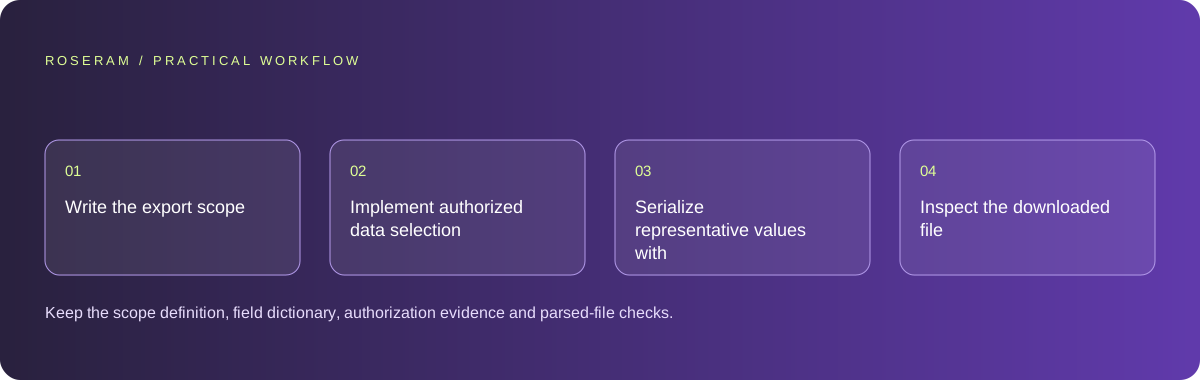
- Write the export scope and field dictionary from the customer task.
- Implement authorized data selection independently of browser table visibility.
- Serialize representative values with an appropriate format and safe text handling.
- Inspect the downloaded file and large-export recovery behavior.
A detailed brief you can adapt for your agent
Replace the illustrative context with your approved facts and controlled inputs. Keep the stated boundaries when adapting the brief. The expected deliverable matters more than a particular tool name: ask for an explanation grounded in the inspected material and evidence for the requested outcome.
Build an order export for the approved account and filter scope. Select data through an authorized receiving operation, not a complete cross-account browser download. Define fields, units and ordering. Handle quoted text and spreadsheet-sensitive values appropriately. Verify the actual file with controlled records and protect large-export retrieval.Failure modes that an attractive preview can hide
Exporting only currently loaded rows can silently omit most history. Fetching every account’s rows and filtering in the browser creates unnecessary exposure. Do not place private exports at permanently public URLs. A generated filename and success toast do not prove that the file contains the requested records or remains accessible only to its owner.
Technical references: MDN: form validation
Acceptance checks and the evidence to retain
Keep the scope definition, field dictionary, authorization evidence and parsed-file checks. Report export-job acceptance separately from completed file availability.
| Controlled case | Expected evidence |
|---|---|
| Filter matches records across several pages | Export follows the documented full-filter or page-only scope. |
| Text contains commas and newlines | Fields retain their intended values after parsing. |
| Another account requests the export reference | Retrieval enforces the selected ownership policy. |
Specific answers
Common questions
Should export match the visible table?
Define that contract: current page and all filtered results are different useful options.
Is hiding export links enough privacy?
No. The data-selection and file-retrieval operations must enforce ownership.
What is the practical completion criterion?
Keep the scope definition, field dictionary, authorization evidence and parsed-file checks. Report export-job acceptance separately from completed file availability.
Sources and editorial method
These references support the indicated technical facts. Workflows, examples and decision tables are original Roseram analysis. Illustrative costs are not vendor prices. No search volume, organic difficulty, ranking result or product endorsement is implied.
- MDN: form validation ↗
Client validation helps users but cannot replace server-side validation.
Roseram offers AI software and may compete with tools discussed here. Sources checked 2026-10-11. Send a sourced correction.
Your next step
Keep a practical checklist.
Mark your progress. This checklist and helpfulness choice are saved on this device only; they are not public reviews.
0 of 5 complete
Share your experience in the community or submit a sourced correction. Public experiences remain separate from editorial claims.
Bring your next idea
Keep learning. Build with context.
Get Roseram model and workspace reopening updates. The guide remains available whether or not you subscribe.
Explore the workspace guide →