Start Here: The Total Picture
Your site is ready. Then the bills arrive in your mail. The price tag on the front page hides extra fees. You must pay for your web address, files, and visits. An AI website builder cost is more than one tool.
Meet Leo. Leo repairs old clocks in a quiet town. He wants people to book repair visits on the web. He finds a tool that writes code using machine brains. Leo thinks his site will cost only a few coins.
Think of a site like a baby goat. The price to buy the goat is small. But you must buy hay, build fences, and pay doctors. A website also needs a safe home and daily care. Writing down every need protects your cash.
- List the tools your site needs.
- Check each tool price and usage limits.
- Set a monthly cap and an alert date.
Price the Project You Need
Price the project you need, not the cheap headline. A flyer and a store are not the same thing. Start by naming what each visitor will do. A visitor requests a quote or books a repair time.
Write your guesses right next to your budget. Include page counts, monthly visitors, and editor seats. Note down file storage space and expected email counts. Keep unknown items as ranges. Do not treat a wild guess as a firm price.
Cost estimates become misleading when simple toys are compared with real apps. A planning tool begins at zero with your inputs. It is not an official vendor quote. A clear sheet lets another person check your math.
Build a Cost Ledger with Five Groups
Fixed monthly fees are easy to see. But variable charges grow large after launch day. Build usage covers tokens. A token is a piece of a word processed by AI. Hosting charges for visits, computer power, or stored files.
Human work belongs in the calculation too. A model draft still needs human eyes to fix bugs. A bug is a mistake in computer code. A low tool price with heavy repair time costs much more. Track the hours spent to finish the job.
Keep sales taxes and bank card fees separate. When visitors buy goods, card fees take a bite. Never treat the full sales money as your profit. Use real terms from your signed service agreements.
| Category | Example unit | Evidence to collect |
|---|---|---|
| Platform | Monthly or annual subscription | Renewal price and included allowance |
| Build usage | Credits, tokens or tasks | Recorded usage for a representative change |
| Operation | Compute, storage, delivery | Expected load and service limits |
| Verification | Hours per release | Time spent inspecting and repairing |
| Ownership | Domain, export, migration | Transfer and source access terms |
Work Through a Math Example
Let us look at Leo and his clock shop. His builder costs $20 each month. Hosting costs $10 monthly. His web domain costs $18 per year. A domain is your web address name. His variable AI use costs $25 each month.
This makes a monthly base of $56.50 before taxes. Add a one-time launch review fee of $240. His first year planning total becomes $918. These numbers are practice inputs, not quotes from Roseram or rivals.
Think about what happens if usage changes. If his monthly AI use doubles, that adds $300 across one year. Ten hours of extra repair time can outweigh a cheap plan. Compare small, expected, and heavy visitor traffic.
A heavy month brings big files and repeated model runs. Put caps and alerts around variable use. This turns a surprise into an event you can see early. You stay safe from an open-ended bill.
Run a Test Before You Commit
Give your top tools the same small test job. See if you can build a page, edit text, and publish. Count failed tries along with your final win. A tool that fails three times costs more time than the demo shows.
Try changing an existing page instead of starting blank. Check if the tool finds the right folders. Make sure it can show a code diff. A diff is a view of text changes between two files. Make sure you can download your work.
Score each tool on price, speed, and export quality. A cheap flyer builder might fail when you build account forms. Pick tools that fit your actual daily work. Reliable evidence beats a slick sales video.
Check a Second Real Case
Now meet Maya. Maya bakes fresh bread in her home kitchen. She wants neighbors to order warm loaves every Friday morning. Her site needs live bread counts and online payments. Her build is heavier than Leo's basic clock page.
Maya checks her hidden costs early. Her order tool takes a fee from every loaf sold. Big photos of crusty bread use extra file bandwidth. Bandwidth is the volume of web data sent to phones and screens.
Maya tests what happens when holiday orders double. Her usage fees grow, but her plan has a strict cap. She stays profitable because she mapped out every variable charge beforehand.
Check Ownership and Renewal Terms
Read the renewal fee, billing dates, and cancel rules. A cheap introductory price can jump when year two arrives. Check if adding your own domain needs a higher tier. Compare total cash paid up front with future rates.
Ask what happens when the subscription ends. Does the public site remain live? Can you download your source code and data? An export that cannot run on its own traps your work. Keep a backup copy of all files.
Do not put secret keys in shared budget sheets. A secret key is a private code that unlocks server data. If shared openly, bad actors can misuse it. Store owner names and update dates instead of raw keys.
Read more: GitHub: removing sensitive data
Cut Down Waste Without Breaking Features
Save cash by making your web pages lean. Resize large photos so pages load fast. Fast speeds improve Core Web Vitals. Core Web Vitals are scores that measure page speed and visual jumpiness. Avoid loading heavy scripts on simple pages.
Set clear rules for each AI prompt task. Supply good context and ask for small changes. Check the result before asking for another revision. Keep common style rules in your project folder so tools do not repeat old mistakes.
Read more: Google: Web Vitals
Put Your Budget Into Action
Take a blank sheet and list your project parts today. Write down your domain, hosting, builder, and emergency funds. Check user rules and service limits before you swipe any card. Knowing your numbers gives you total control. Roseram can help with a task like organizing your cost ledger. Feature access and limits depend on the current plan you choose.
Create a yearly cost ledger for a small local service website. Include a $20 monthly builder, $10 hosting, $18 domain, and $25 monthly variable usage. Add $240 for a launch review. List recurring costs separately from one-time fees and show the first-year total.
Your idea. Your next step.
Put Roseram super intelligence to work.
Bring the idea you keep coming back to. Choose a Roseram plan, then give your project a clear first task. You can think it through, build a first version, and improve it as you learn.
Check current access, plan limits, and pricing before joining.
Your next step
Your quick checklist.
Tick a step as you finish it. Your ticks and feedback stay on this device. They are not public reviews.
0 of 6 complete
Tell the community what you tried or tell us what needs fixing. Include a source if you are correcting a fact.
Your questions, answered
Are free AI website builders actually free?
Making pages might be free. Hosting and web names cost money. Check limits before you build.
Should I choose monthly or annual billing?
Check the full yearly bill. Yearly deals help save cash. Pick it if you stay.
Does this calculator show live prices?
No. Type your own real prices. The tool only adds numbers. It shows simple math estimates.
What is a variable usage charge?
It is a changing bill. It charges for computer time. It grows with more traffic.
Want the technical details?Open the code notes, deeper checks, and common questions.
These notes go deeper. Use the parts that fit your project. Examples are for learning; they are not claims that we tested your app.
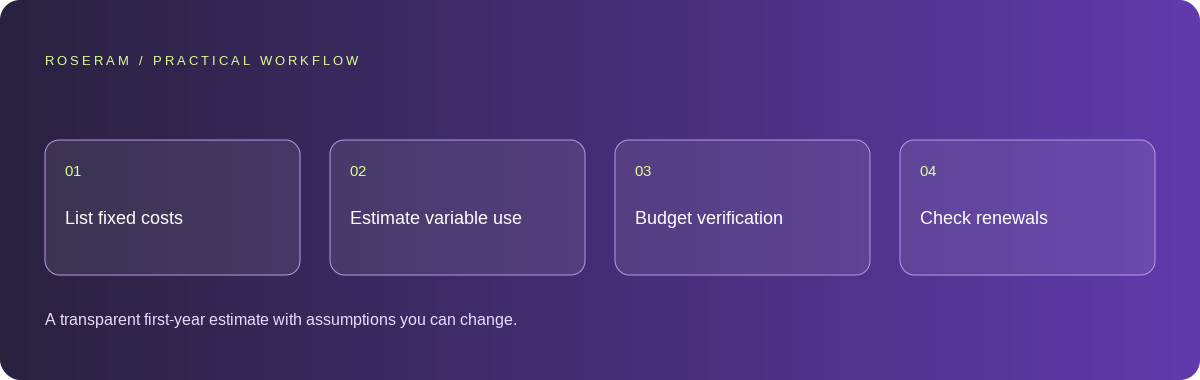
Interactive planning tool
Your first-year website budget
Enter verified quotes in USD. This estimate excludes taxes and payment fees. Zero defaults are empty planning inputs, not free service offers.
Price the project you need, not the cheapest headline
A one-page brochure, a booking site and a customer application are different products. Start by naming the complete journey: a visitor requests a quote, a customer books an appointment or an account holder modifies a private record. Cost estimates become misleading when a cheap visual prototype is compared with a verified application.
Write the assumptions beside the budget. Include page count, expected visitors, number of editors, storage needs, account features, email volume and whether customers purchase anything. Unknowns should be variables or ranges. Do not convert an untested assumption into a precise recurring price.
The calculator on this page uses values supplied by you and begins at zero. It is a planning model, not a provider quote. It does not read your billing account, predict conversion rates or prove savings against competitors. A useful estimate is transparent enough that another person can change its assumptions and reproduce the result.
Build a cost ledger with five separate categories
Fixed subscriptions are often easiest to see, but variable charges can be more important after launch. Generation usage may differ from runtime model calls made by your users. Hosting may charge for requests, compute, bandwidth or storage. Email and file delivery can introduce additional service limits. Read the units before comparing plans.
Human work belongs in the calculation. Requirements, content approval, debugging, accessibility review and security checks do not disappear because a model generated the first draft. Record the time to get a correct finished result. A lower subscription with much more repair time can be a more expensive way to reach the same outcome.
Keep taxes and transaction fees separate when relevant. Do not apply one percentage to every line item unless that reflects the actual agreement. For a commerce project, estimate payment-related costs using the documented arrangement and actual sales assumptions; do not treat the full customer payment as your profit.
| Category | Example unit | Evidence to collect |
|---|---|---|
| Platform | Monthly or annual subscription | Renewal price and included allowance |
| Build usage | Credits, tokens or tasks | Recorded usage for a representative change |
| Operation | Compute, storage, delivery | Expected load and service limits |
| Verification | Hours per release | Time spent inspecting and repairing |
| Ownership | Domain, export, migration | Transfer and source access terms |
Use a worked example without confusing it with a quote
Consider an illustrative service website with a $20 monthly builder, $10 monthly hosting, $18 annual domain and $25 monthly variable allowance. The recurring monthly equivalent is $56.50 before taxes and other fees. Add a hypothetical $240 launch review and the first-year planning total becomes $918. These are invented arithmetic inputs for the example, not current Roseram or competitor prices.
The important question is sensitivity. If variable usage doubles, the same model adds $300 over a year. If the launch requires a further ten hours of repair at a rate you supply, that may outweigh a small difference in subscriptions. Change the line items instead of choosing the prettiest advertised total.
Compare low, expected and high-use scenarios. The high-use case should include a plausible failure or workload spike: repeated generation attempts, a popular page serving large assets or users triggering an expensive feature. Put caps and alerts around variable use so a surprise becomes an observable event rather than an open-ended bill.
Run a representative purchase test before committing
Give shortlisted tools the same small brief and input materials. Measure whether you can produce the artifact, edit it, inspect source and publish it. Record unsuccessful attempts as well as the final output. A tool that succeeds only after several hidden retries has a different cost profile from its first-demo appearance.
For code tools, include an existing-project change rather than only a blank-page build. Test whether the tool can identify the correct application directory, preserve the framework, repair a regression and show an inspectable diff. If import and export are essential to your business, make them part of the trial acceptance criteria.
Use a decision table with cost, finish time, portability, required integrations and evidence quality. Weight those factors for your task. Avoid pretending that one benchmark score describes every customer workload. An inexpensive brochure-site tool can be a poor fit for a private account application even when its page designs look good.
Check the ownership and renewal terms
Read the renewal amount, billing cadence, included limits, cancellation rules and export restrictions. Clarify whether a custom domain, production deployment or collaborator access requires another plan. A multi-year introductory commitment should be compared with the money paid up front and the future renewal—not only a divided monthly headline.
Ask what happens when the subscription ends. Does the public site remain available? Can you download source and data? Which custom components depend on hosted services? A code export that cannot reproduce the application is not equivalent to an independently runnable project. Keep a recovery copy of source, assets and approved configuration.
Do not put secret keys in a budget spreadsheet shared with suppliers. Store the service name, purpose, owner and credential rotation date instead. A cost reduction that requires distributing privileged credentials creates a different kind of liability.
Read more: GitHub: removing sensitive data
Reduce waste without breaking the customer journey
Cache suitable public reads, resize images, remove redundant polling and avoid loading unnecessary media on every page. Measure the effect before asserting savings. A reduction in requests may not reduce a charge that is based on another unit, and a cache that leaks private responses is not a valid optimization.
Set a completion rule for each agent task. Supply relevant context, request a bounded change and check the result before asking for another revision. Keep reusable design and acceptance standards in the project so repeated prompts do not rediscover them. The goal is less rework for a verified outcome, not simply fewer model calls.
Read more: Google: Web Vitals
Common questions
Are free AI website builders actually free?
The initial drafting surface may be free while production hosting, a custom domain, export or additional use requires payment. Check the exact plan and limits for the project you intend to run.
Should I choose monthly or annual billing?
Compare total committed payment, renewal pricing and confidence that the tool meets your requirements. An annual discount is useful only if the product remains appropriate.
Does this calculator show live prices?
No. Enter your own verified quotes and allowances. All displayed totals are arithmetic estimates based on those inputs.
Where the facts come from
Use these links to check the technical facts. The stories here are made-up examples to help you learn. Roseram sells AI tools; our examples are not promises of results.
- GitHub: removing sensitive data ↗
What this source covers
Revoking exposed credentials and the limits of deleting them from the current file.
- Google: Web Vitals ↗
What this source covers
LCP, INP and CLS measure loading, interaction and visual stability.
References last reviewed 2026-10-11. Writing refreshed 2026-10-14. Spot a mistake? Tell us.
