A worked example: where the task becomes difficult
A fictional project receives an agent-generated navigation update. The developer then manually corrects a phone number in the same file and asks to undo the navigation. Restoring the entire old file would lose the phone correction. The system needs either a conflict-aware inverse change or a clear conflict requiring resolution. Record the snapshot before application, including newly created and deleted files.
Decisions to make before implementation
Distinguish local Undo, a new revert commit and rewriting remote history. They have different collaboration effects. Preserve the identity of the generated revision and the file state it expected. Restoring a deleted file also needs its original content and metadata where relevant. Decide whether Undo affects only source or also runtime state; reversing code does not reverse a database migration, sent email or payment.
A practical sequence for the work
Use the sequence below as a task boundary, not as a claim that the example has been executed. Work with approved inputs and the project’s actual architecture. If a required integration or permission is unavailable, keep that stage visibly incomplete rather than generating a plausible substitute result.
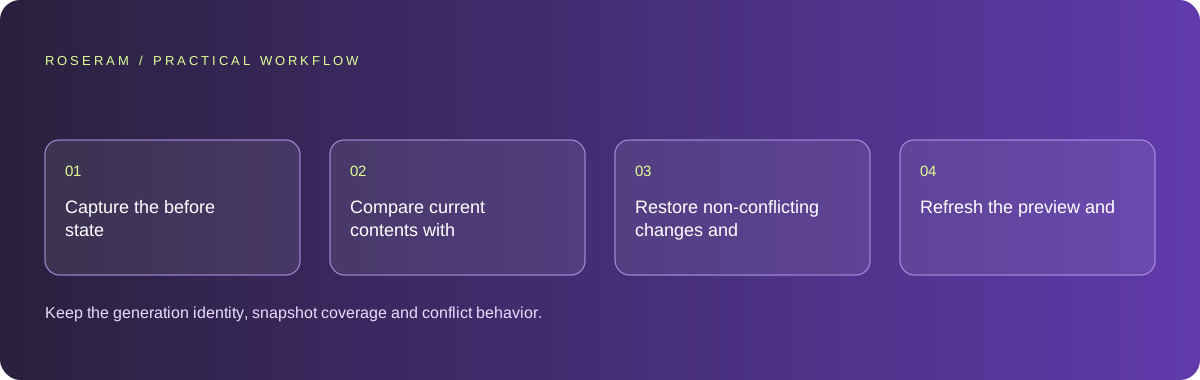
- Capture the before state and the generated after state for affected files.
- Compare current contents with the expected generated revision before restoring.
- Restore non-conflicting changes and surface conflicts without discarding newer work.
- Refresh the preview and verify the original user journey after the restore.
A detailed brief you can adapt for your agent
Replace the illustrative context with your approved facts and controlled inputs. Keep the stated boundaries when adapting the brief. The expected deliverable matters more than a particular tool name: ask for an explanation grounded in the inspected material and evidence for the requested outcome.
Implement or inspect Undo for generated working-copy edits. Capture before and expected-after contents per file, including creation and deletion. Reject restoration when current content differs from the expected generated state. Preserve unrelated files. Explain conflicts and refresh preview after a successful restore; do not reset remote history or reverse external operations.Failure modes that an attractive preview can hide
A button labeled Revert can appear safe while replacing an entire project with a stale snapshot. Test unrelated files, later edits and newly created files separately. Avoid using a destructive reset on a shared checkout as a generic recovery action. If external side effects occurred, handle their reconciliation as a separate explicit operation rather than implying that source Undo has reversed them.
Technical references: GitHub: getting useful results from coding tasks
Acceptance checks and the evidence to retain
Keep the generation identity, snapshot coverage and conflict behavior. Demonstrate restoration of an update, creation and deletion plus preservation of later manual work.
| Controlled case | Expected evidence |
|---|---|
| Agent created a new file | Undo removes only the unchanged generated file. |
| User edits an affected file afterward | Restore detects the conflict and preserves the newer content. |
| Unrelated file changes after generation | Undo leaves that unrelated work intact. |
Specific answers
Common questions
Does reverting source undo a sent email?
No. External effects need their own authorized reconciliation process.
Should Undo replace the entire project snapshot?
Only when that is the explicit recovery contract and newer work has been checked; per-change restoration is often safer.
What is the practical completion criterion?
Keep the generation identity, snapshot coverage and conflict behavior. Demonstrate restoration of an update, creation and deletion plus preservation of later manual work.
Sources and editorial method
These references support the indicated technical facts. Workflows, examples and decision tables are original Roseram analysis. Illustrative costs are not vendor prices. No search volume, organic difficulty, ranking result or product endorsement is implied.
- GitHub: getting useful results from coding tasks ↗
Provider-specific reference for clear task scope and repository instructions; the worked workflows here are original analysis, not claims that every agent implements GitHub features.
Roseram offers AI software and may compete with tools discussed here. Sources checked 2026-10-11. Send a sourced correction.
Your next step
Keep a practical checklist.
Mark your progress. This checklist and helpfulness choice are saved on this device only; they are not public reviews.
0 of 5 complete
Share your experience in the community or submit a sourced correction. Public experiences remain separate from editorial claims.
Bring your next idea
Keep learning. Build with context.
Get Roseram model and workspace reopening updates. The guide remains available whether or not you subscribe.
Explore the workspace guide →