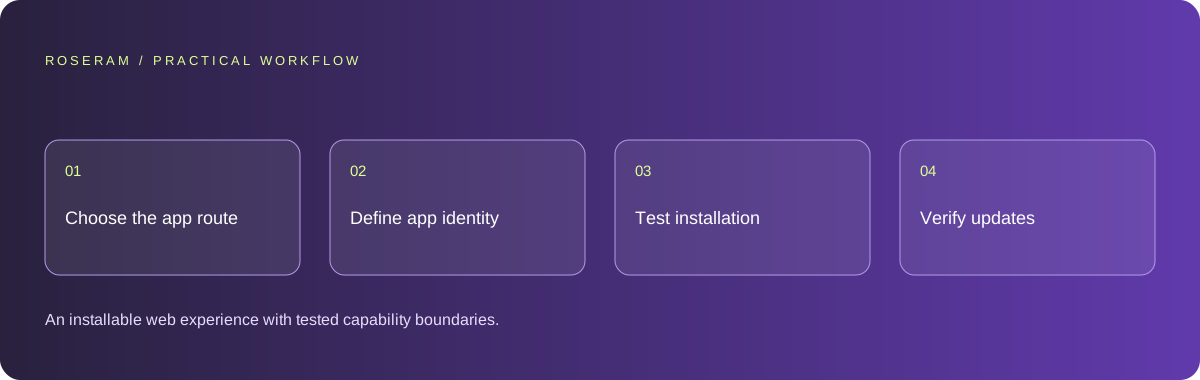
Choose installation for a real customer task
Ask what installation should improve. A returning customer might need a convenient home-screen entry, a focused display or access to selected content when connectivity is poor. Those are product requirements. “Make it an app” does not specify whether you need a browser-installed website, a packaged application or a native implementation. Write the expected device behaviors before asking the agent to generate a manifest or replace the existing framework.
List requirements such as camera access, background activity, notifications, offline editing and distribution. Check each against the actual target browser and operating system. If a capability is essential, evaluate its availability rather than assuming every installed website supports it. Keep unsupported tasks visible in the decision record. A native rebuild may be appropriate for demanding device integration, but it also creates a separate release and maintenance workflow.
| Route | Useful starting point | Verify explicitly |
|---|---|---|
| PWA | Existing web journey suits repeat use | Installation and required browser capabilities |
| Packaged web experience | Distribution requires a package | Platform policy and native integration boundaries |
| Native application | Device behavior drives the product | Device builds, permissions and release process |
Make the manifest describe the actual product
Use a deliberate application name, launch URL, display preference and branded icons. Keep identity consistent with the public website. A generated starter often carries a placeholder name or a generic icon that looks acceptable in a tab but becomes confusing on a phone’s home screen. Review assets at small sizes and check which variant is used on each target device instead of assuming one image covers every context.
Inspect the manifest link from the deployed document and confirm that the referenced assets can be fetched. A correct JSON file in the repository does not help if deployment omits it or the browser receives an error page at that URL. Validate paths against the application’s real base path. If the site lives under a subdirectory, verify the launch location and navigation boundaries there, not only at the domain root.
{
  "name": "Your Product",
  "short_name": "Product",
  "start_url": "/",
  "display": "standalone",
  "icons": [
    { "src": "/icons/app-192.png", "sizes": "192x192", "type": "image/png" },
    { "src": "/icons/app-512.png", "sizes": "512x512", "type": "image/png" }
  ]
}
Technical references: MDN: making PWAs installable
Test installation instead of promising a universal button
Installation conditions and interface vary between browsers and devices. MDN documents manifest requirements and secure delivery for browsers that promote installation, while also explaining differences in how users install. Use those requirements as a starting reference, then test the actual target combination. Do not hide the rest of the website behind an install prompt or tell users installation is supported based solely on their screen width.
Document a clean first visit, installation and reopening from the installed icon. Check the initial route, branding and expected navigation. Test an existing visitor as well as a fresh browser profile because previously cached assets can hide deployment mistakes. If installation is unavailable, keep the normal website useful and provide a device-appropriate explanation. A failed installation prompt should not break sign-in, forms or ordinary navigation.
Technical references: MDN: making PWAs installable
Decide what offline means before adding caching
Separate reading previously available public content from submitting changes. Showing a saved article while offline can be useful; displaying an old account balance as if it were current can mislead users. Define which resources may be cached, how old information is identified and what happens when a required network operation cannot complete. Do not ask the agent to cache every request simply because it sounds like a stronger app experience.
If offline submissions are supported, design a visible queue and a reconciliation rule. Tell the user what is saved locally and what has reached the server. Test reconnection, repeated retries and conflicting changes on another device. If that workflow is outside the project’s scope, show a clear unavailable state while preserving input where appropriate. Honest limited functionality is easier to maintain than a broad promise of offline support that only covers the welcome screen.
Verify that users receive a compatible new version
An installed app can retain older assets after deployment. Plan how a new version becomes available and what happens to an active task during the transition. Avoid forcing a refresh halfway through a payment, long form or edit. Give updates a recoverable boundary and verify that old clients can communicate safely with the deployed backend while the transition occurs. Treat cached behavior as part of the release, not a mysterious browser problem.
Test a previously installed version before and after a small controlled release. Confirm the visible version, asset consistency and any persisted user state. Keep a rollback path that considers both server files and client caches. A rollback that restores the server but leaves incompatible cached scripts may not restore the user journey. Record the tested combinations and the remaining uncertainty instead of claiming every installed copy updated immediately.
Technical references: Playwright: testing best practices
Give the agent a bounded implementation and release brief
Request the smallest changes required for the chosen route: manifest, branded assets, document references and the explicitly selected offline behavior. Ask for a file-level explanation and an acceptance checklist. Preserve the existing framework and deployment unless a justified requirement demands migration. Installation work should not become an unsolicited redesign, authentication rewrite or new paid hosting dependency. Review what the agent changed against the original capability list.
Maintain a device test table with browser version, first installation, reopening, navigation, sign-in, offline state and update outcome. Include accessibility and ordinary web use so the installed path does not receive all the attention. Publish the product as a tested installable web experience only where that evidence exists. If a store release is required later, treat packaging, policy review and distribution as additional work with their own verified requirements.
Specific answers
Common questions
Is an installed PWA the same as a native application?
No. It uses the web platform and its available capabilities. A native release has a different implementation and distribution workflow.
Does a manifest make the whole website work offline?
No. Offline behavior needs a deliberate implementation and tests for the resources and actions involved.
Can I guarantee an install button on every phone?
No. Browser and operating-system installation interfaces vary. Test the target combinations and preserve ordinary website access.
Sources and editorial method
These references support the indicated technical facts. Workflows, examples and decision tables are original Roseram analysis. Illustrative costs are not vendor prices. No search volume, organic difficulty, ranking result or product endorsement is implied.
- MDN: making PWAs installable ↗
Manifest, secure delivery and browser-specific installation requirements; installation does not prove native or offline functionality.
- Playwright: testing best practices ↗
Tests based on user-visible behavior and isolated test state.
Roseram offers AI software and may compete with tools discussed here. Sources checked 2026-10-11. Send a sourced correction.
Your next step
Keep a practical checklist.
Mark your progress. This checklist and helpfulness choice are saved on this device only; they are not public reviews.
0 of 5 complete
Share your experience in the community or submit a sourced correction. Public experiences remain separate from editorial claims.
Bring your next idea
Keep learning. Build with context.
Get Roseram model and workspace reopening updates. The guide remains available whether or not you subscribe.
Explore the workspace guide →