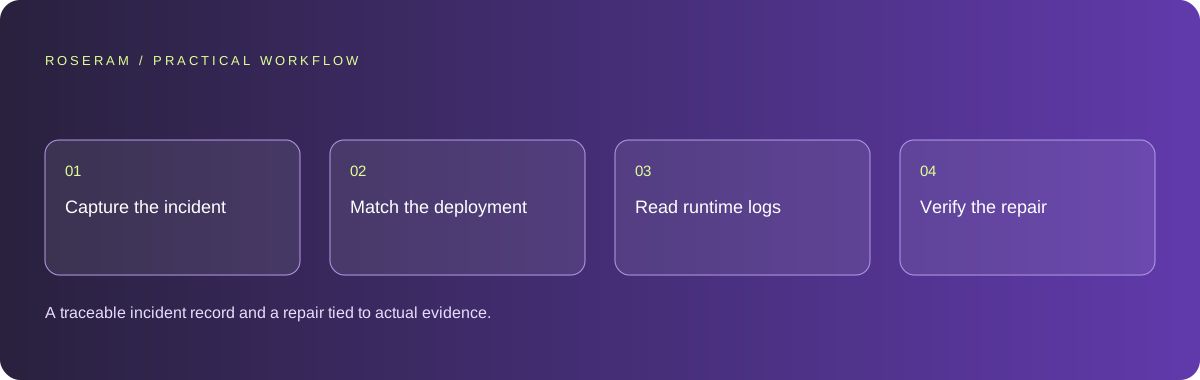
Capture the failing request before changing the project
Write down the full public route, time zone, visible error and provider request ID. Avoid recording personal query parameters or request bodies in a public issue. Keep the deployed revision with the record. A screenshot of a generic unknown error shows that a request failed, but it does not identify which module, service or runtime boundary caused the failure.
Repeat only a small number of read-only requests to establish whether the failure persists. Record HTTP status, response headers and cache information where available. A successful second request can be served from a different cache layer or runtime instance. Do not turn a recovered response into a claim that a cold start, security issue or memory limit was definitively responsible. Those are hypotheses until the evidence distinguishes them.
Separate a failed build from a runtime exception
Check which deploy is actually published, its commit and whether the build completed. A ready deploy can still have a request-time exception. A local source change may also be absent from the published revision. Keep those states separate so you do not test one version and explain a failure from another.
For a framework application, inspect the deployed route type and adapter behavior rather than assuming every page is a static file or every error is an edge-function error. Server rendering, middleware, cached pages and external API routes can participate in different request paths. Follow the actual route and function name shown by the provider. Avoid deleting integrations or weakening security headers based solely on an unfamiliar URL appearing in a console.
Technical references: Netlify: Next.js adapter overview
Match the request ID in function and edge logs
Netlify documents function logs with time and text filters, including request IDs, messages and log levels. Its CLI can retrieve a bounded historical window from functions and edge functions. Choose the interval around the incident and the published deploy. Retain the matching exception, not an indiscriminate dump of all visitor traffic.
Distinguish an application stack trace from runtime lifecycle messages. A log marked error is not automatically the exception that produced the user’s page. If no matching record is available, record that limitation and preserve the provider ID for support. Do not invent a root cause from unrelated warnings. Redact credentials, personal data and request contents before sharing diagnostic material.
netlify logs --since 2026-10-12T00:00:00Z --until 2026-10-12T00:20:00Z --source functions edge-functions --level error --level fatal --json
# Search the retrieved records for the provider request ID.
# A missing match does not prove that no failure occurred.
Technical references: Netlify: function logs
Inspect initialization, bundled files and external dependencies
A module that reads an editorial file at import time depends on that file being present in the deployed bundle and on its resolved path being correct. A local working directory is not a reliable contract for a serverless package. For static editorial content, validate and compile the source during the build, then import the generated data. Fail a malformed content build visibly rather than serving an empty page from a broad catch block.
For request-time data, inspect credentials, permissions, timeout behavior and the exact response contract. Keep optional analytics or monitoring failures independent from the visitor response. A slow service should not cause unbounded retries or repeated expensive reads. Change the boundary implicated by the evidence, then preserve enough structured diagnostics to check whether the failure reappears.
| Evidence | Investigate | Avoid assuming |
|---|---|---|
| Missing-file stack trace | Bundled artifact and resolved path | A new dependency fixes the path |
| Timeout or memory error | Work and resources in that invocation | Every page needs more memory |
| Downstream 503 | Service availability and failure handling | The browser UI caused it |
| No matching exception | Provider logs, retention and request ID | Refresh solved the underlying cause |
Keep recovery bounded and honest
A user-facing retry can help recover a transient read failure, but it cannot catch an exception that occurs before the application response exists. A React error boundary is therefore not a universal fix for a platform function crash. Keep an accessible support path and a safe error reference when the application can render a fallback.
Do not retry payments, publication or other consequential writes automatically without an appropriate duplicate-prevention contract. Repeated read-only tests and repeated writes have different risks. Preserve local edits while a remote service is unavailable and explain the strongest confirmed state: saved locally, accepted remotely or published. Avoid returning success from a catch block just to clear an error banner.
Verify the actual repair on the deployed revision
Use the brief below to constrain the investigation. Keep the original incident ID, proposed cause and evidence together. If the repair removes a filesystem assumption, verify the compiled artifact against the source and test module loading from a different working directory. If the issue is a timeout, repeat the relevant read path with bounded failure simulation.
After deployment, check the public route and the logs for the same class of failure. A cached HTTP 200 is useful availability evidence but does not exercise every server cold start. State what was tested and what remains uncertain. If the provider cannot supply a matching exception, request its investigation using the retained ID instead of claiming a security or infrastructure problem has been conclusively repaired.
Investigate the supplied URL, timestamp, request ID and deployed revision. Read the matching server and edge exception records. Identify the failing boundary before editing. Preserve security controls and customer data. Apply a narrow repair, document its evidence, test failure and recovery, and report local checks separately from deployed verification. If no matching record exists, state that limitation and retain the incident reference.Specific answers
Common questions
Why did a refresh make the page work?
A subsequent request may use a recovered service, another runtime instance or cached content. Inspect request and log evidence to distinguish those possibilities.
Does an unknown Netlify error prove a security problem?
No. The generic error alone does not identify a breach or its cause. A security conclusion requires relevant evidence.
Can an error boundary prevent every serverless crash?
No. It cannot render when the platform fails before the application response is produced. Use it for the application errors it can actually handle.
Sources and editorial method
These references support the indicated technical facts. Workflows, examples and decision tables are original Roseram analysis. Illustrative costs are not vendor prices. No search volume, organic difficulty, ranking result or product endorsement is implied.
- Netlify: Next.js adapter overview ↗
Framework routing and adapter reference; inspect the actual published deploy before assigning a failing runtime.
- Netlify: function logs ↗
Provider documentation for log retrieval and retention. Diagnostic examples here are original workflows, not a diagnosis of every unknown error.
Roseram offers AI software and may compete with tools discussed here. Sources checked 2026-10-12. Send a sourced correction.
Your next step
Keep a practical checklist.
Mark your progress. This checklist and helpfulness choice are saved on this device only; they are not public reviews.
0 of 5 complete
Share your experience in the community or submit a sourced correction. Public experiences remain separate from editorial claims.
Bring your next idea
Keep learning. Build with context.
Get Roseram model and workspace reopening updates. The guide remains available whether or not you subscribe.
Explore the workspace guide →