A worked example: where the task becomes difficult
A fictional article page displays “Good morning” using the server’s timezone during rendering and the visitor’s timezone in the browser. It also reads a saved theme before the initial client output. The visual differences can create a hydration mismatch. Record the conflicting element and initial values; do not assume every mismatch comes from the same library or that the entire page must become client-only.
Decisions to make before implementation
Classify information as deterministic at initial rendering or dependent on the visitor’s environment. Choose a consistent initial representation for time and preferences, then update intentionally after the browser is ready. Validate element nesting and third-party markup. Preserve accessible content and document meaning; removing server rendering solely to silence a warning can introduce unnecessary loading and discovery tradeoffs.
A practical sequence for the work
Use the sequence below as a task boundary, not as a claim that the example has been executed. Work with approved inputs and the project’s actual architecture. If a required integration or permission is unavailable, keep that stage visibly incomplete rather than generating a plausible substitute result.
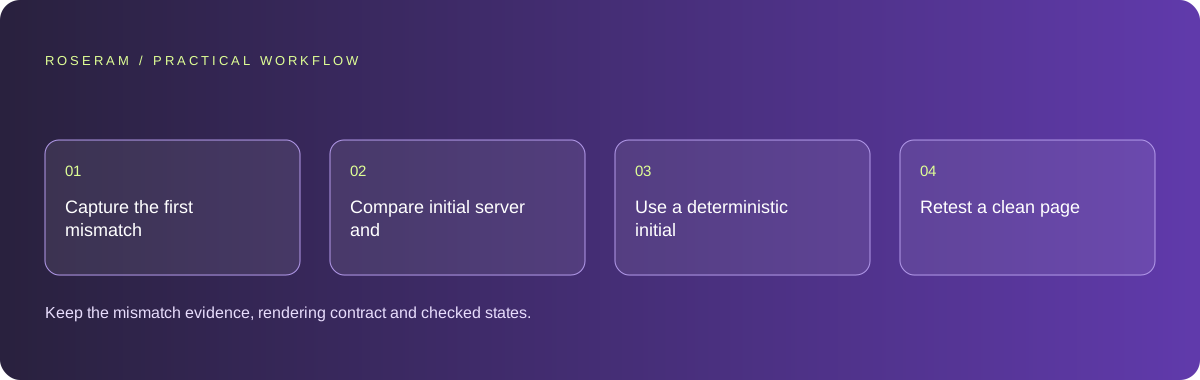
- Capture the first mismatch and identify its owning component.
- Compare initial server and browser values for the affected output.
- Use a deterministic initial state or isolate genuinely client-only behavior.
- Retest a clean page load, returning preference state and navigation between routes.
A detailed brief you can adapt for your agent
Replace the illustrative context with your approved facts and controlled inputs. Keep the stated boundaries when adapting the brief. The expected deliverable matters more than a particular tool name: ask for an explanation grounded in the inspected material and evidence for the requested outcome.
Investigate the first hydration mismatch in the article header. Compare server and initial browser output for date, greeting and theme. Preserve the page’s server-rendered article. Repair deterministic initialization or invalid markup at the owning component. Do not suppress every warning. Report the tested clean-load and saved-preference cases.Failure modes that an attractive preview can hide
Warning suppression can be appropriate for a deliberately understood difference, but it should not conceal arbitrary invalid markup or render loops. Avoid replacing all dates with client-only spinners. Another source may be an extension changing the document; reproduce in a controlled browser profile before attributing that change to your source code.
Technical references: Chrome: console features reference
Acceptance checks and the evidence to retain
Keep the mismatch evidence, rendering contract and checked states. Explain any intentional remaining differences rather than treating an empty console as the only success condition.
| Controlled case | Expected evidence |
|---|---|
| Server and visitor have different timezones | Initial markup follows the selected consistent representation. |
| Saved theme is present | The page hydrates and applies the preference without a broken tree. |
| Invalid nested elements existed | The repair produces valid intended document structure. |
Specific answers
Common questions
Should I disable server rendering everywhere?
Usually no. Fix the particular output whose initial contract differs.
Can browser extensions cause mismatches?
They can alter document content; compare a controlled profile before drawing a causal conclusion.
What is the practical completion criterion?
Keep the mismatch evidence, rendering contract and checked states. Explain any intentional remaining differences rather than treating an empty console as the only success condition.
Sources and editorial method
These references support the indicated technical facts. Workflows, examples and decision tables are original Roseram analysis. Illustrative costs are not vendor prices. No search volume, organic difficulty, ranking result or product endorsement is implied.
- Chrome: console features reference ↗
Inspecting messages, stack traces and network errors.
Roseram offers AI software and may compete with tools discussed here. Sources checked 2026-10-11. Send a sourced correction.
Your next step
Keep a practical checklist.
Mark your progress. This checklist and helpfulness choice are saved on this device only; they are not public reviews.
0 of 5 complete
Share your experience in the community or submit a sourced correction. Public experiences remain separate from editorial claims.
Bring your next idea
Keep learning. Build with context.
Get Roseram model and workspace reopening updates. The guide remains available whether or not you subscribe.
Explore the workspace guide →