A worked example: where the task becomes difficult
A fictional web app works under its development server but fails during production compilation because an internal import has different filename casing. The developer’s machine does not expose the same mismatch as the deployment environment. Another failure may come from lint or missing build-time configuration. Keep the provider log’s stage and first relevant error intact so the agent can distinguish these cases.
Decisions to make before implementation
Record package manager, lockfile, runtime version, base directory and build output. Distinguish dependency installation, compilation, checking and deployment packaging. Reproduce with the repository’s own commands where possible. A provider error can be caused by application source or configuration; identify ownership before modifying provider settings. Keep secrets out of copied build logs and never print all environment values for diagnosis.
A practical sequence for the work
Use the sequence below as a task boundary, not as a claim that the example has been executed. Work with approved inputs and the project’s actual architecture. If a required integration or permission is unavailable, keep that stage visibly incomplete rather than generating a plausible substitute result.
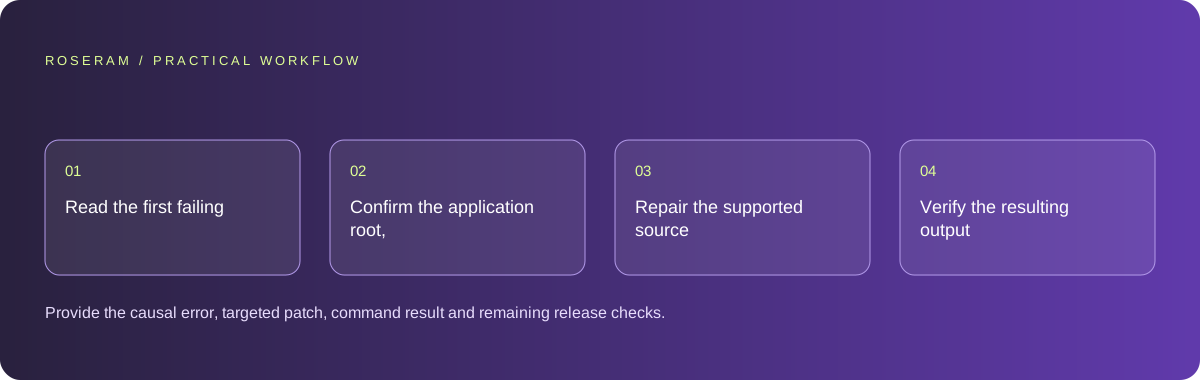
- Read the first failing build stage and capture its exact command.
- Confirm the application root, dependency lockfile and expected runtime version.
- Repair the supported source or configuration issue and rerun that gate.
- Verify the resulting output and public route after deployment separately.
A detailed brief you can adapt for your agent
Replace the illustrative context with your approved facts and controlled inputs. Keep the stated boundaries when adapting the brief. The expected deliverable matters more than a particular tool name: ask for an explanation grounded in the inspected material and evidence for the requested outcome.
Repair the first production build failure using the supplied provider log and current project configuration. Preserve the existing package manager and host unless evidence requires a change. Check import paths, required environment names and the failing gate. Do not disable checks to hide errors. Report the command result and deployment state separately.Failure modes that an attractive preview can hide
Disabling lint, type checking or tests makes a pipeline greener without necessarily repairing the failing code. Only change a gate when its requirement is genuinely wrong and the rationale is reviewable. Avoid deleting the lockfile as a generic fix; it can introduce dependency drift. Local build success is useful but does not prove the provider accepted or published the revision.
Technical references: Chrome: console features reference
Acceptance checks and the evidence to retain
Provide the causal error, targeted patch, command result and remaining release checks. Retain the provider’s failed and successful revision identifiers when available.
| Controlled case | Expected evidence |
|---|---|
| Import casing differs from the actual source path | Production compilation resolves the intended file. |
| Build-time variable is missing | The process reports the required name without exposing its value. |
| Local build passes | Release evidence still distinguishes local output from the live deployed revision. |
Specific answers
Common questions
Why can development work while production fails?
Different compilation, checking, environment and filesystem behavior can expose issues not exercised by the development route.
Does a local build mean deployment succeeded?
No. The provider must build, publish and serve the intended revision.
What is the practical completion criterion?
Provide the causal error, targeted patch, command result and remaining release checks. Retain the provider’s failed and successful revision identifiers when available.
Sources and editorial method
These references support the indicated technical facts. Workflows, examples and decision tables are original Roseram analysis. Illustrative costs are not vendor prices. No search volume, organic difficulty, ranking result or product endorsement is implied.
- Chrome: console features reference ↗
Inspecting messages, stack traces and network errors.
Roseram offers AI software and may compete with tools discussed here. Sources checked 2026-10-11. Send a sourced correction.
Your next step
Keep a practical checklist.
Mark your progress. This checklist and helpfulness choice are saved on this device only; they are not public reviews.
0 of 5 complete
Share your experience in the community or submit a sourced correction. Public experiences remain separate from editorial claims.
Bring your next idea
Keep learning. Build with context.
Get Roseram model and workspace reopening updates. The guide remains available whether or not you subscribe.
Explore the workspace guide →