A worked example: where the task becomes difficult
A fictional cleaning company prices by floor area, service type and travel zone. The owner knows the approved formula, while the AI does not know local taxes, minimum charges or unusual-property costs. Begin with three handwritten example estimates and a list of exclusions. A visitor should understand which inputs change the amount and when a human must inspect the property. The worked examples should use fictional addresses and quantities.
Decisions to make before implementation
Keep prices in a versioned configuration rather than scattering numbers through interface components. Define units, minimums, discounts, tax presentation and decimal rounding once. Distinguish unknown inputs from zero. If area cannot be supplied reliably, offer a range or enquiry path instead of displaying a precise invented amount. Store the calculation version with submitted enquiries so an operator can reproduce what the customer saw after rates change.
A practical sequence for the work
Use the sequence below as a task boundary, not as a claim that the example has been executed. Work with approved inputs and the project’s actual architecture. If a required integration or permission is unavailable, keep that stage visibly incomplete rather than generating a plausible substitute result.
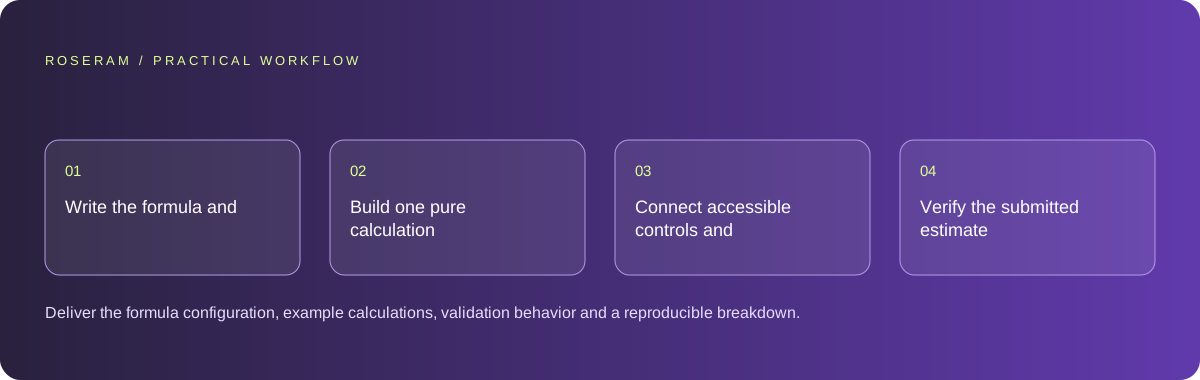
- Write the formula and calculate normal, minimum and boundary examples by hand.
- Build one pure calculation function with explicit units and configuration inputs.
- Connect accessible controls and show a readable breakdown rather than only a total.
- Verify the submitted estimate against current server rules before accepting an order.
A detailed brief you can adapt for your agent
Replace the illustrative context with your approved facts and controlled inputs. Keep the stated boundaries when adapting the brief. The expected deliverable matters more than a particular tool name: ask for an explanation grounded in the inspected material and evidence for the requested outcome.
Create an estimator using the supplied cleaning-price rules and examples. Keep the calculation isolated from rendering. Show line items, units, minimum charge and estimate status. Reject non-finite or negative quantities. Retain the rate version in an enquiry. Add checks against the three approved totals; do not fabricate taxes or advertise the estimate as guaranteed.Failure modes that an attractive preview can hide
Generated calculators often concatenate numeric strings or round intermediate values inconsistently. Test decimal input, empty fields and switching service types after entering measurements. Avoid making an estimate look like an approved contract. If the final price requires inspection, label that condition next to the amount, not in a distant terms page. Do not claim savings without a real comparison basis.
Technical references: MDN: sending form data
Acceptance checks and the evidence to retain
Deliver the formula configuration, example calculations, validation behavior and a reproducible breakdown. Record which assumptions need owner approval before the estimator can accept paid orders.
| Controlled case | Expected evidence |
|---|---|
| Blank area submitted | Visitor gets a field-specific correction; no zero-price quote. |
| Value exactly at minimum-charge boundary | Approved minimum rule and rounding are applied. |
| Rates change after page load | Submission detects the stale estimate and explains the change. |
Specific answers
Common questions
Should pricing live in the prompt only?
No. Approved rules belong in maintainable configuration or the appropriate business system.
Can the calculator replace a final quote?
Only when the business explicitly authorizes its complete pricing contract and exceptional cases are handled.
What is the practical completion criterion?
Deliver the formula configuration, example calculations, validation behavior and a reproducible breakdown. Record which assumptions need owner approval before the estimator can accept paid orders.
Sources and editorial method
These references support the indicated technical facts. Workflows, examples and decision tables are original Roseram analysis. Illustrative costs are not vendor prices. No search volume, organic difficulty, ranking result or product endorsement is implied.
- MDN: sending form data ↗
Form submission transports data to a receiving endpoint; downstream delivery is a separate implementation.
Roseram offers AI software and may compete with tools discussed here. Sources checked 2026-10-11. Send a sourced correction.
Your next step
Keep a practical checklist.
Mark your progress. This checklist and helpfulness choice are saved on this device only; they are not public reviews.
0 of 5 complete
Share your experience in the community or submit a sourced correction. Public experiences remain separate from editorial claims.
Bring your next idea
Keep learning. Build with context.
Get Roseram model and workspace reopening updates. The guide remains available whether or not you subscribe.
Explore the workspace guide →