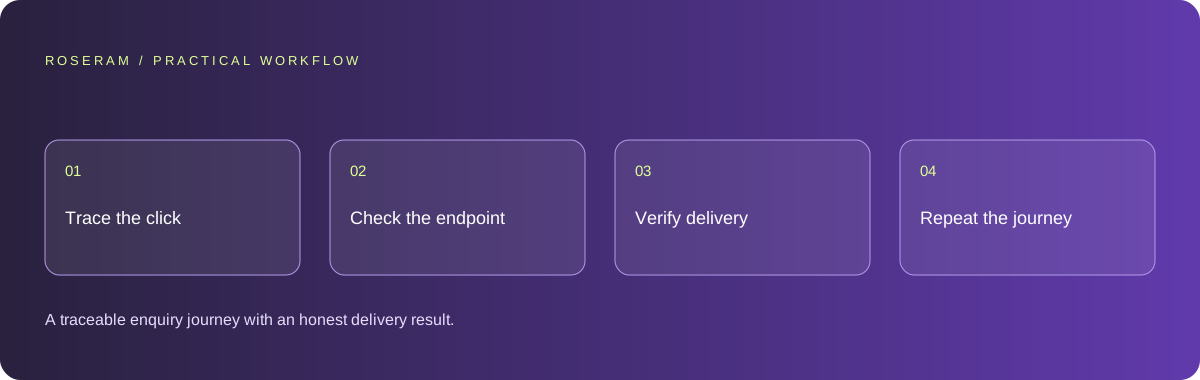
Define what a successful enquiry actually means
Start with the business requirement rather than the generated design. Decide whether submissions should create a stored lead, send a notification, enter a CRM or do several of these things. Name the responsible owner and the destination. A prototype can show a form without any of those connections. Write the missing work as an implementation task instead of asking the agent to polish the success animation.
Create a harmless test enquiry using an address and destination you control. Give it a distinctive reference so you can identify it in the browser response, server logs and inbox without exposing real customer information. Record the deployed route and revision. The acceptance criterion should say what evidence must exist, such as a stored record and a confirmed notification, and what the customer sees if only one part succeeds.
- Define the destination and the owner.
- Use a controlled test record, not customer data.
- Record the route, revision and expected outcome.
- Distinguish accepted, saved, queued and delivered.
Find the first missing step in the browser
Open the browser console and network inspector, then submit once. Observe whether the handler runs, whether validation prevents submission and whether a network request appears. If nothing is sent, inspect button type, form wiring and JavaScript errors. A submit control inside the wrong form or an early return in a handler can look identical to a backend outage from the customer’s perspective. Change one boundary at a time.
Read the request URL and response status. A development URL embedded in a production build may point at the visitor’s computer. A relative endpoint may work locally but be missing from a static deployment. A response containing an HTML error page is not the JSON result expected by a generated handler. Preserve the actual response evidence; do not let the agent invent an endpoint that merely returns success without performing the required operation.
Technical references: Chrome: console features reference · MDN: sending form data
Validate the endpoint before connecting delivery
Inspect the receiving endpoint independently of the page. It should accept the intended method, validate fields and reject invalid input before creating records or sending messages. Browser checks help visitors correct mistakes, but a caller can send a request without using your form. Keep the authoritative validation at the server boundary. Limit message size and accepted fields so arbitrary payloads cannot turn a simple enquiry into an expensive or unsafe action.
Use separate outcomes for invalid input, temporary service failure and an accepted request. Avoid returning success from a catch block solely to keep the interface friendly. If a downstream service is unavailable, decide whether to retain the enquiry for retry or ask the customer to use another contact method. That decision should be explicit and observable. Keep privileged delivery credentials on the server, with the minimum permissions needed for the integration.
| Observed result | Boundary to inspect | Evidence required |
|---|---|---|
| No request | Form handler and client validation | One intended request on submission |
| 404 or HTML response | Deployment route and URL | Endpoint exists in the deployed build |
| Accepted but no notification | Queue and delivery service | Stored lead and downstream status |
Technical references: MDN: form validation · GitHub: removing sensitive data
Check the destination instead of trusting a green toast
Trace the controlled reference into the persistence or delivery system. An email provider accepting a job is different from the message reaching an inbox. A CRM response may create a record without sending an alert. Check the stage relevant to your acceptance criterion, and report the strongest confirmed result. Do not claim delivery from an HTTP status alone. If the integration returns a reference, retain it in restricted operational logs for investigation.
Inspect destination configuration, sender permissions and environment differences before rewriting the whole form. A staging recipient may remain configured in production, or a verified sender may not match the intended domain. Avoid printing tokens or complete message contents while investigating. Store just enough structured information to trace failures, and use a clear retention policy. Debugging a lead funnel should not create an uncontrolled copy of customer personal information.
Make failure recoverable and duplicate submissions predictable
Test a slow response, an unavailable endpoint and invalid input. The button should communicate processing, the customer should retain their entered text and errors should identify a useful next step. Do not erase a long enquiry before the server accepts it. If the user retries after an uncertain response, the application needs a way to prevent accidental duplicates where the operation has material consequences. Design this with the destination workflow, not just a disabled button.
Consider an enquiry saved successfully while its notification fails. Treating the whole request as rejected can cause a second saved record on retry. A useful implementation records the accepted enquiry once, tracks notification state separately and gives the customer an accurate acknowledgement. The exact strategy depends on your storage and delivery system. Ask the agent to explain that contract in the changed code and test it against a controlled failure.
Technical references: Playwright: testing best practices
Repeat the complete test on the published website
Run the same controlled journey on a phone and a desktop after deployment. Confirm field labels, keyboard navigation, visible validation, processing state and the final destination. Compare the deployed revision with the one tested locally. A production environment can have different routes, credentials and service restrictions, so local success is useful evidence but does not establish that the public contact form works.
Keep a short release record with expected behavior, observed result, timestamp, revision and the restricted delivery reference. Remove unnecessary test records through the destination’s normal recovery workflow. Monitor failures using a small structured event rather than continually polling complete lead tables. Revisit the form after changes to hosting, sender configuration or validation. A working form is a maintained customer journey, not a one-time screenshot of a success message.
Specific answers
Common questions
Why does the form say success when no email arrives?
The interface may show success before a delivery result is confirmed, or the endpoint may accept a request without sending it. Trace the controlled enquiry to its actual destination.
Can a static website have a working contact form?
Yes, if it submits to an appropriate receiving service or backend. The static page itself does not provide a server-side delivery operation.
Should I put the email API key in the generated page?
No. Keep privileged credentials in a server-side integration and expose only the limited enquiry endpoint required by the page.
Sources and editorial method
These references support the indicated technical facts. Workflows, examples and decision tables are original Roseram analysis. Illustrative costs are not vendor prices. No search volume, organic difficulty, ranking result or product endorsement is implied.
- Chrome: console features reference ↗
Inspecting messages, stack traces and network errors.
- MDN: sending form data ↗
Form submission transports data to a receiving endpoint; downstream delivery is a separate implementation.
- MDN: form validation ↗
Client validation helps users but cannot replace server-side validation.
- GitHub: removing sensitive data ↗
Revoking exposed credentials and the limits of deleting them from the current file.
- Playwright: testing best practices ↗
Tests based on user-visible behavior and isolated test state.
Roseram offers AI software and may compete with tools discussed here. Sources checked 2026-10-11. Send a sourced correction.
Your next step
Keep a practical checklist.
Mark your progress. This checklist and helpfulness choice are saved on this device only; they are not public reviews.
0 of 5 complete
Share your experience in the community or submit a sourced correction. Public experiences remain separate from editorial claims.
Bring your next idea
Keep learning. Build with context.
Get Roseram model and workspace reopening updates. The guide remains available whether or not you subscribe.
Explore the workspace guide →