A worked example: where the task becomes difficult
A fictional customer portal returns from sign-in to /account, immediately redirects to /login and repeats. The route guard checks before session initialization finishes. A second possible cause is a callback configured for another deployment origin. Record the redirect sequence and cookies or session status without copying secret tokens. The same visual loop can arise at different boundaries.
Decisions to make before implementation
Represent checking, signed-in and signed-out states distinctly. Verify callback URLs against the identity provider’s configured environment. Keep redirect destinations within the intended application and reject arbitrary external targets. Decide how a pending action, such as opening a project, survives authentication. Do not repeatedly create new accounts as a workaround for a session that is simply not recognized.
A practical sequence for the work
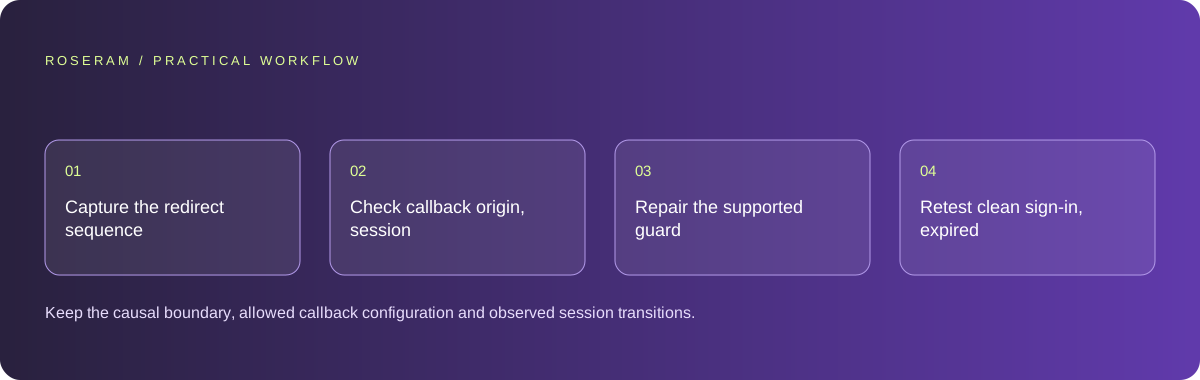
Use the sequence below as a task boundary, not as a claim that the example has been executed. Work with approved inputs and the project’s actual architecture. If a required integration or permission is unavailable, keep that stage visibly incomplete rather than generating a plausible substitute result.
- Capture the redirect sequence and first protected-route decision.
- Check callback origin, session persistence and initialization timing.
- Repair the supported guard or configuration issue without weakening access checks.
- Retest clean sign-in, expired session and return to the original requested resource.
A detailed brief you can adapt for your agent
Replace the illustrative context with your approved facts and controlled inputs. Keep the stated boundaries when adapting the brief. The expected deliverable matters more than a particular tool name: ask for an explanation grounded in the inspected material and evidence for the requested outcome.
Investigate the sign-in loop using the supplied redirect sequence. Trace callback configuration, session persistence and route-guard loading state. Preserve server authorization. Restore the original in-app destination after success and validate its scope. Do not suppress authentication checks or log tokens. Verify clean and expired-session journeys.Failure modes that an attractive preview can hide
Disabling route protection can stop a loop while exposing private data. A client flag saying signed in is not a replacement for trusted authentication. Browser privacy settings and environment-specific cookie behavior may affect persistence; identify the actual issue rather than asking every visitor to disable protections. Keep error messages useful without publishing token contents.
Technical references: Chrome: console features reference
Acceptance checks and the evidence to retain
Keep the causal boundary, allowed callback configuration and observed session transitions. Preserve the pending customer action so recovery does not require starting the task again.
| Controlled case | Expected evidence |
|---|---|
| Session is still initializing | The route waits rather than redirecting as signed out. |
| Callback arrives on the approved deployment origin | The established session is recognized by the protected resource. |
| Return path names an external domain | The application rejects the unsafe destination. |
Specific answers
Common questions
Can I remove the route guard to stop the loop?
That may expose data and does not repair session establishment; fix the actual guard or callback issue.
Should an unknown session count as signed out?
During initialization, represent uncertainty separately until the authentication check completes.
What is the practical completion criterion?
Keep the causal boundary, allowed callback configuration and observed session transitions. Preserve the pending customer action so recovery does not require starting the task again.
Sources and editorial method
These references support the indicated technical facts. Workflows, examples and decision tables are original Roseram analysis. Illustrative costs are not vendor prices. No search volume, organic difficulty, ranking result or product endorsement is implied.
- Chrome: console features reference ↗
Inspecting messages, stack traces and network errors.
Roseram offers AI software and may compete with tools discussed here. Sources checked 2026-10-11. Send a sourced correction.
Your next step
Keep a practical checklist.
Mark your progress. This checklist and helpfulness choice are saved on this device only; they are not public reviews.
0 of 5 complete
Share your experience in the community or submit a sourced correction. Public experiences remain separate from editorial claims.
Bring your next idea
Keep learning. Build with context.
Get Roseram model and workspace reopening updates. The guide remains available whether or not you subscribe.
Explore the workspace guide →